
Construct a Derivative Function using Tangent Lines
Loading the math board and drawing, please wait…
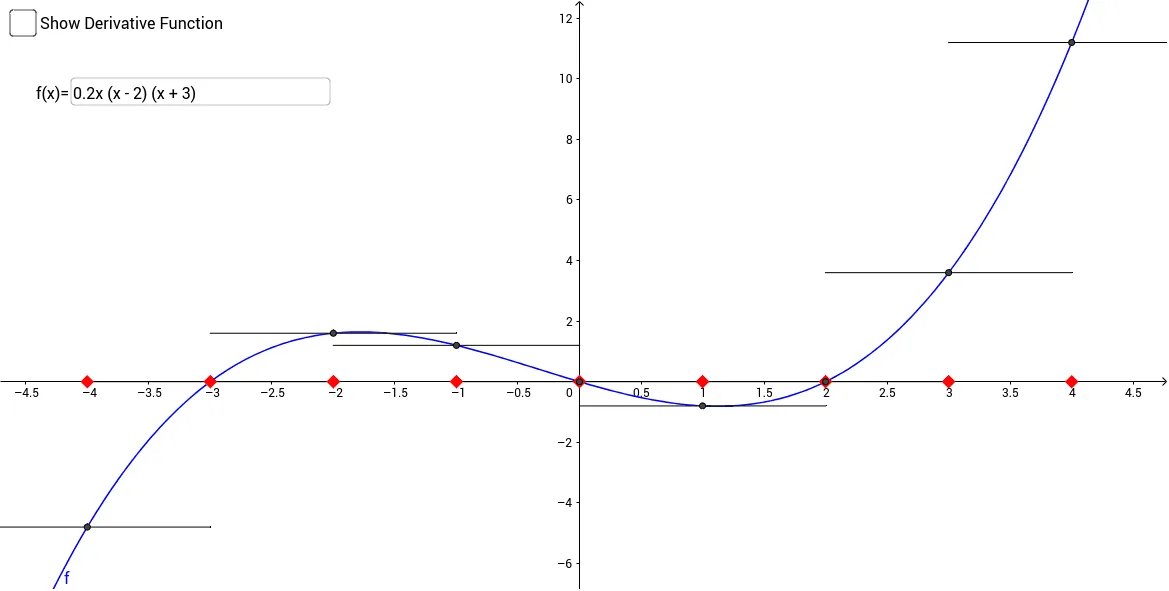
This GeoGebra example demonstrates how to construct the derivative function of a given function by using tangent lines. It visually shows that the derivative at a point is the slope of the tangent line, and by tracing the slope values as the point moves, the graph of the derivative function emerges. Key mathematical concepts include the definition of the derivative as a limit of secant slopes, the geometric interpretation of the derivative, and the relationship between a function and its derivative. The construction uses GeoGebra commands such as Point, Intersect, Segment, and Textfield, along with multiple objects (f, a, A, B, f1, c, C, D, etc.) to create dynamic tangent lines and track their slopes. This resource is suitable for high school calculus or introductory college calculus courses, helping students grasp the fundamental idea of derivatives through interactive visualization and hands-on exploration.
GeoGebra Commands & Parameters
Point(f1) → KPoint(f1) → LPoint(f2) → MIntersect(f2, yAxis) → NPoint(f3) → OPoint(f3) → PIntersect(f4, yAxis) → QPoint(f4) → RSegment(P1, Q1) → lSegment(P2, Q2) → hSegment(P3, Q3) → jSegment(P4, Q4) → kSegment(P5, Q5) → mTextfield(f) → InputBox1Segment(AL_3, AR_3) → h_1Segment(AR_4, AL_4) → i_1Segment(AR_5, AL_5) → j_1Segment(AR_6, AL_6) → k_1Segment(BL_3, BR_3) → l_1Segment(BL_4, BR_4) → m_1Segment(BL_5, BR_5) → n_1Segment(BL_6, BR_6) → p_1