
Conic Sections (Zoom out for better view)
Loading the math board and drawing, please wait…
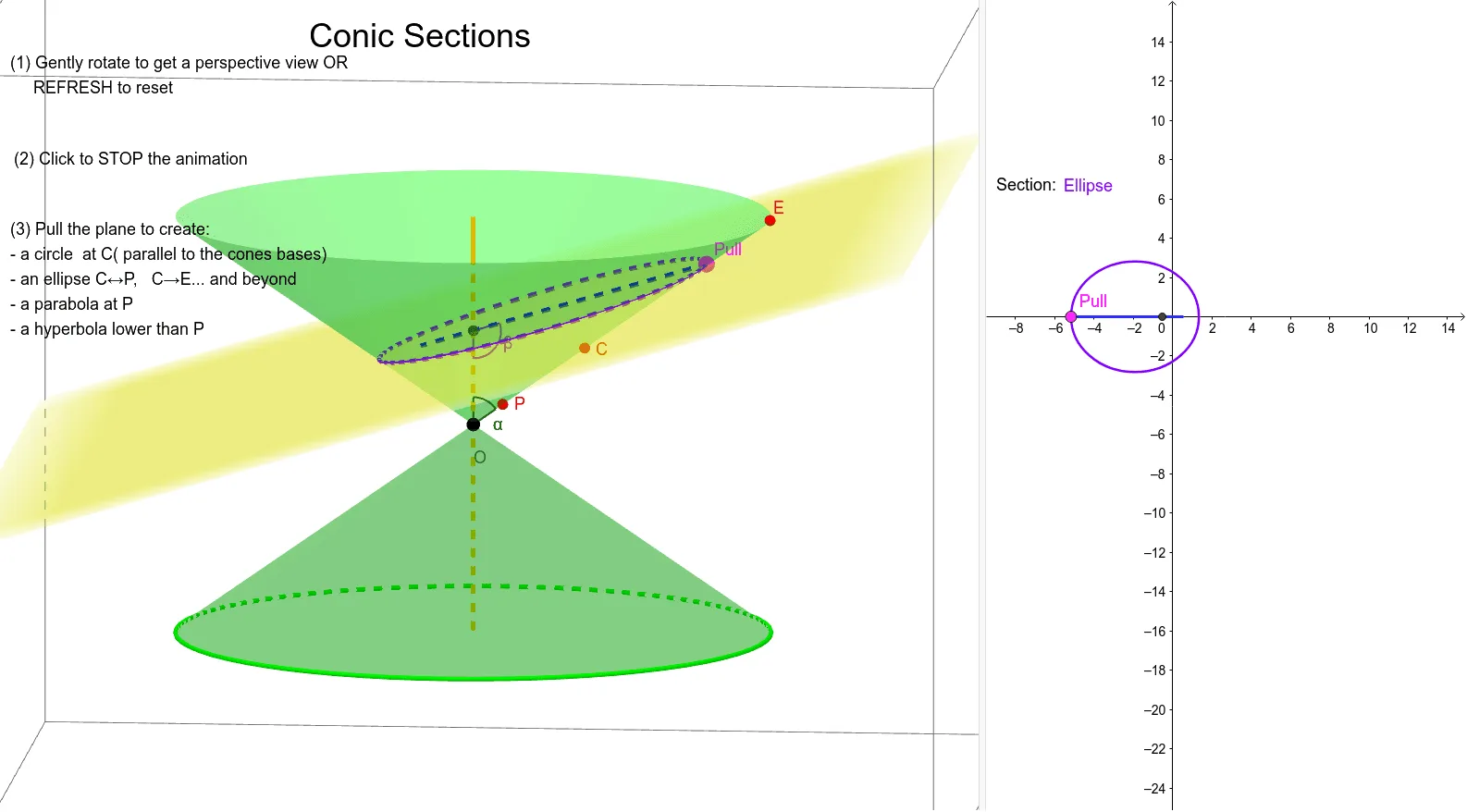
This example demonstrates the geometric properties of conic sections. By adjusting parameters, different types of conic sections such as ellipses, hyperbolas, and parabolas can be observed. Key mathematical concepts include conic sections, similarity transformations, and geometric construction. GeoGebra commands used include Intersect, Mirror, Point, Segment, Circle, Plane, Midpoint, Angle, Line, and others. Suitable for high school mathematics education and learning.
GeoGebra Commands & Parameters
Intersect(zAxis, yAxis) → OCone(D, O, (4 * sqrt(2))) → C1, a_2, a_3IntersectPath(x = 0, C1) → dIntersect(d, a_2, 1) → EMirror(C1, z = 0) → C2IntersectPath(x = 0, C2) → ePoint(e) → H_1Segment(H_1, E) → fCircle(zAxis, A) → cPoint(f) → PullPlane(Pull, A, B) → planeMidpoint(B, A) → FCenter(a_2) → GSegment(F, Pull) → gIntersectPath(plane, C1) → conIntersectPath(plane, C2) → hMirror(G, O) → G'Segment(G, G') → iAngle(G, O, E) → αIntersect(i, g) → C_1Angle(Pull, C_1, O) → βIntersect(d, a_2) → I, J, ,Segment(J, O) → jLine(F, j) → kIntersect(k, d) → P,Segment(J, E) → lLine(F, l) → mIntersect(m, a_3) → L, C
AI Drawing Prompt Reference
Draw a conic section to observe ellipses, hyperbolas, and parabolas by adjusting parameters. First, draw cone C1, then find point E where the x-axis intersects C1 and its mirror C2. On the x-axis, find point H1, and draw line segment f connecting H1 and E. Next, draw circle c, and draw plane plane through point f. Find the intersection lines con and h of plane with C1 and C2, then draw angle α and β, and connect related points to get lines and segments, finally getting intersection points P and L.
The prompt above was compiled from the original drawing commands and is for reference only.