
Congruence and Transformations by Walch Education
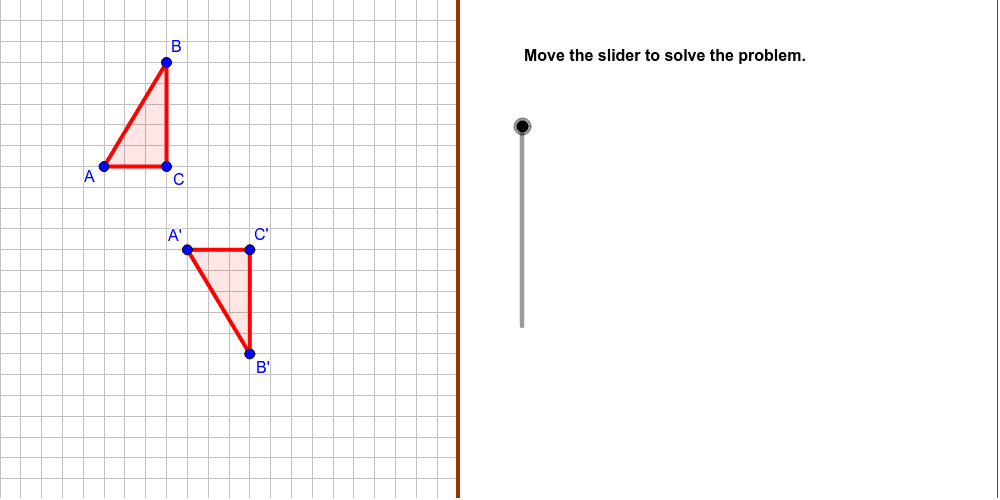
Loading the math board and drawing, please wait…
In collections
CCSS IP Math I Unit 5 Lesson 5
This example demonstrates how to determine if two figures are congruent by identifying the transformations that have taken place. Key math concepts include geometric transformations and congruence. It uses commands like Polygon, Mirror, Vector, and Translate. Suitable for middle school and above students learning about transformations and congruence.
GeoGebra Commands & Parameters
Polygon((11, y(Corner[1])), Corner[2], Corner[3], (11, y(Corner[4]))) → Mask, mask4, mask3, mask2, mask1Polygon(A, B, C) → poly1, poly1AB, poly1BC, poly1ACLine(Point_1, Point_2) → TranslationLineMirror(A, TranslationLine) → A_rMirror(B, TranslationLine) → B_rMirror(C, TranslationLine) → C_rPolygon(A_r, B_r, C_r) → polyR, polyRAB, polyRBC, polyRACVector(Point_1, Point_1 + (Point_2 - Point_1) / Distance[Point_1, Point_2]) → vTranslate(A_r, Vector[v * translation]) → A'Translate(B_r, Vector[v * translation]) → B'Translate(C_r, Vector[v * translation]) → C'Polygon(A', B', C') → poly2, poly2AB, poly2BC, poly2ACVector(B_r, B') → TranslationVectorPolyLine(A, C, B) → poly1CornerPolyLine(A', C', B') → poly2Corner
AI Drawing Prompt Reference
Draw a quadrilateral and create two new quadrilaterals through reflection and vector translation to demonstrate geometric transformations and congruence. First, draw an original quadrilateral, then reflect it across a line to get a new quadrilateral, and translate this new quadrilateral using a vector to obtain a second quadrilateral. Finally, connect the corresponding vertices to form two auxiliary line segments, clearly showing the congruence relationship and transformation process.
The prompt above was compiled from the original drawing commands and is for reference only.