
Cone Net Demonstration
Loading the math board and drawing, please wait…
In collections
Surface Area
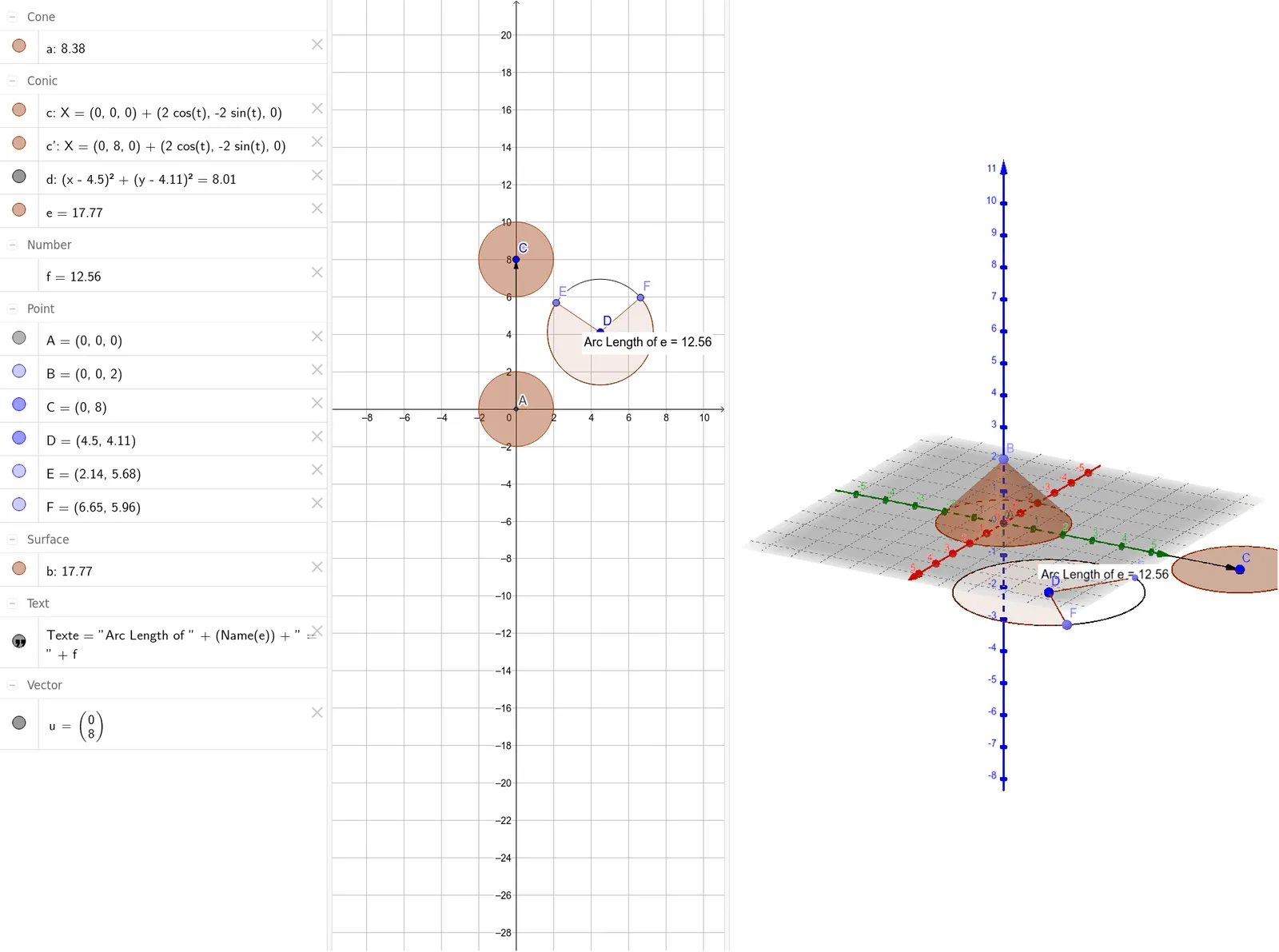
This example demonstrates the net of a cone and its geometric properties. The core math concepts involved include solid geometry (cone), vectors, transformations, and coordinate geometry. Key GeoGebra commands and objects used in the construction are Intersect, Point, Cone, Vector, Translate, Circle, CircleSector, Length, and PointIn. It is suitable for high school students studying solid geometry and coordinate geometry, providing an interactive way to understand the cone's net and area calculation.
GeoGebra Commands & Parameters
Intersect(xAxis, yAxis) → APoint(zAxis) → BCone(A, B, 2) → a, c, bVector(A, C) → uTranslate(c, u) → c'Circle(D, 2.83) → dPoint(d) → EPoint(d) → FCircleSector(D, E, F) → eLength(e) → fPointIn(e) → Pointe
AI Drawing Prompt Reference
Draw the net of a cone, showing its base circle and lateral sector, to demonstrate geometric properties. Start by plotting the coordinate axes and determining the cone's apex and base center. Draw the base circle and lateral sector of the cone. Then, create a vector from the apex to the base center and translate the base circle along this vector to form another circle in the net. Finally, mark the arc length on the sector and indicate the arc length with a point to complete the cone's net.
The prompt above was compiled from the original drawing commands and is for reference only.