
Cone & Cylinder from Revolution by Panayiotis Panayiotou
Loading the math board and drawing, please wait…
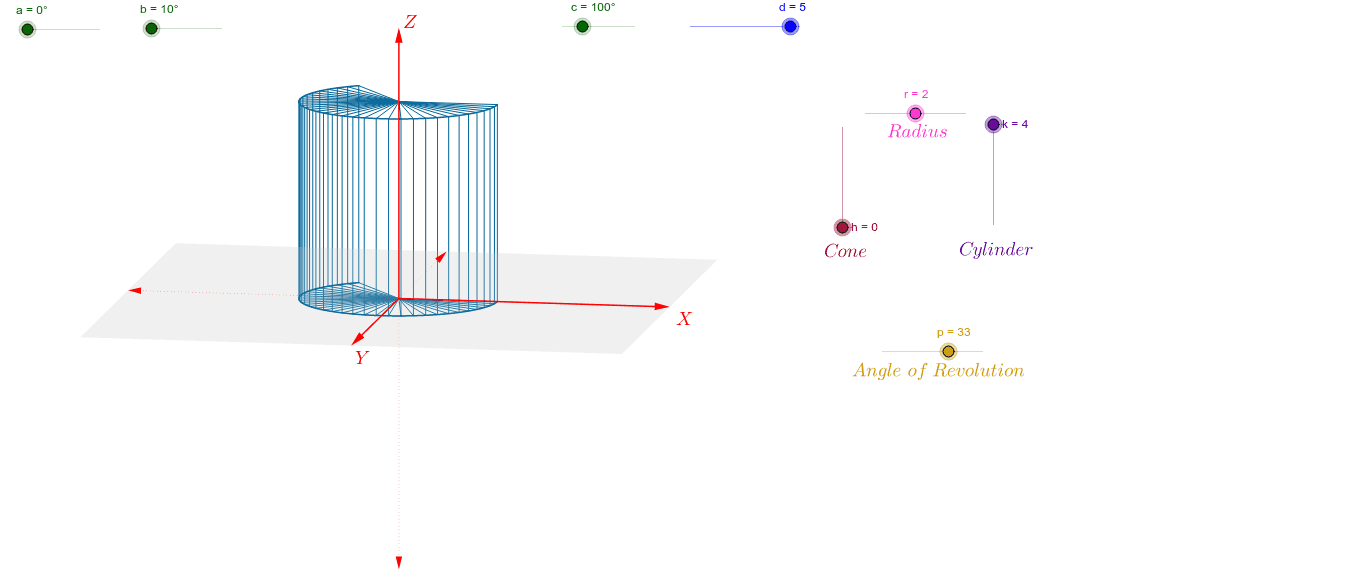
This example demonstrates the creation of solids of revolution, specifically cones and cylinders, by rotating 2D shapes. Key math concepts include solids of revolution, integral calculus, and spatial geometry. GeoGebra commands used in construction are Vector, Polygon, Sequence, and CurveCartesian. Suitable for high school students and above learning solid geometry and calculus, or for educational purposes.
GeoGebra Commands & Parameters
Vector(1.1 * d * W_x) → uVector(1.1 * d * W_y) → vVector(1.1 * d * W_z) → wPolygon(1.1 * d * (W_x + W_y), 1.1 * d * (-W_x + W_y), 1.1 * d * (-W_x - W_y), 1.1 * d * (W_x - W_y)) → poly1, g, i, j, lSequence(r * cos(0.125 * i) * W_x + r * sin(0.125 * i) * W_y, i, 0, p) → list1Sequence(r * cos(0.125 * i) * W_x + r * sin(0.125 * i) * W_y + k * W_z, i, 0, p) → list3CurveCartesian(x(r * cos(0.125 * i) * W_x + r * sin(0.125 * i) * W_y), y(r * cos(0.125 * i) * W_x + r * sin(0.125 * i) * W_y), i, 0, p) → e_1CurveCartesian(x(r * cos(0.125 * t) * W_x + r * sin(0.125 * t) * W_y + k * W_z), y(r * cos(0.125 * t) * W_x + r * sin(0.125 * t) * W_y + k * W_z), t, 0, p) → e_2Sequence(Segment[A, Element[list1, i]], i, 1, p + 1) → list2Sequence(Segment[Element[list1, i], Element[list3, i]], i, 1, p + 1) → list4Sequence(Segment[(0, 0) + k * W_z, Element[list3, i]], i, 1, p + 1) → list5
AI Drawing Prompt Reference
Draw a cone and a cylinder by first creating three vectors u, v, and w, then constructing a quadrilateral with these vectors. Next, rotate this quadrilateral to generate the outlines of the cone and cylinder, and finally use these outlines to create the surfaces of the cone and cylinder.
The prompt above was compiled from the original drawing commands and is for reference only.