
Cone Cross Sections Investigation: Slicing Pyramids with Different Bases
Loading the math board and drawing, please wait…
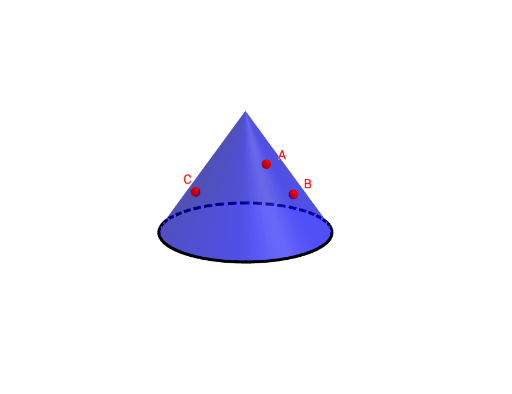
①This interactive GeoGebra example demonstrates how a plane slicing through a cone or pyramids with different polygonal bases produces various cross-sectional shapes, allowing users to dynamically explore the relationship between the cutting plane and the resulting section. ②Core mathematical concepts include solid geometry, cross sections, conic sections (circle, ellipse, triangle, quadrilateral), and the effect of parameters on the intersection path. ③Construction details: The model uses GeoGebra commands such as Intersect, Point, Cone, Circle, IntersectPath, and If to build the solid and cutting plane, with sliders (n, m, l) controlling the number of base sides, cutting angle, and position. Lists (list1) and conditional logic manage different section outcomes, while buttons (button1, button2) switch preset views. ④This resource is suitable for high school or early college geometry courses, math labs, or self-study, helping learners visualize how cross sections change with cutting parameters and strengthen spatial reasoning skills.
GeoGebra Commands & Parameters
Intersect(yAxis, zAxis) → EPoint(zAxis) → DCone(E, D, 2) → a, e, fPointIn(f) → CPointIn(f) → BPointIn(f) → ACircle(E, 2, zAxis) → gIf(l ≟ 0, Plane[A, B, C], If[l ≟ 1, Plane[F, G, H], Plane[I, J, K]]) → dIntersectPath(d, a) → hIntersectPath(d, a) → k