
Cone Construction and Vector Demonstration
Loading the math board and drawing, please wait…
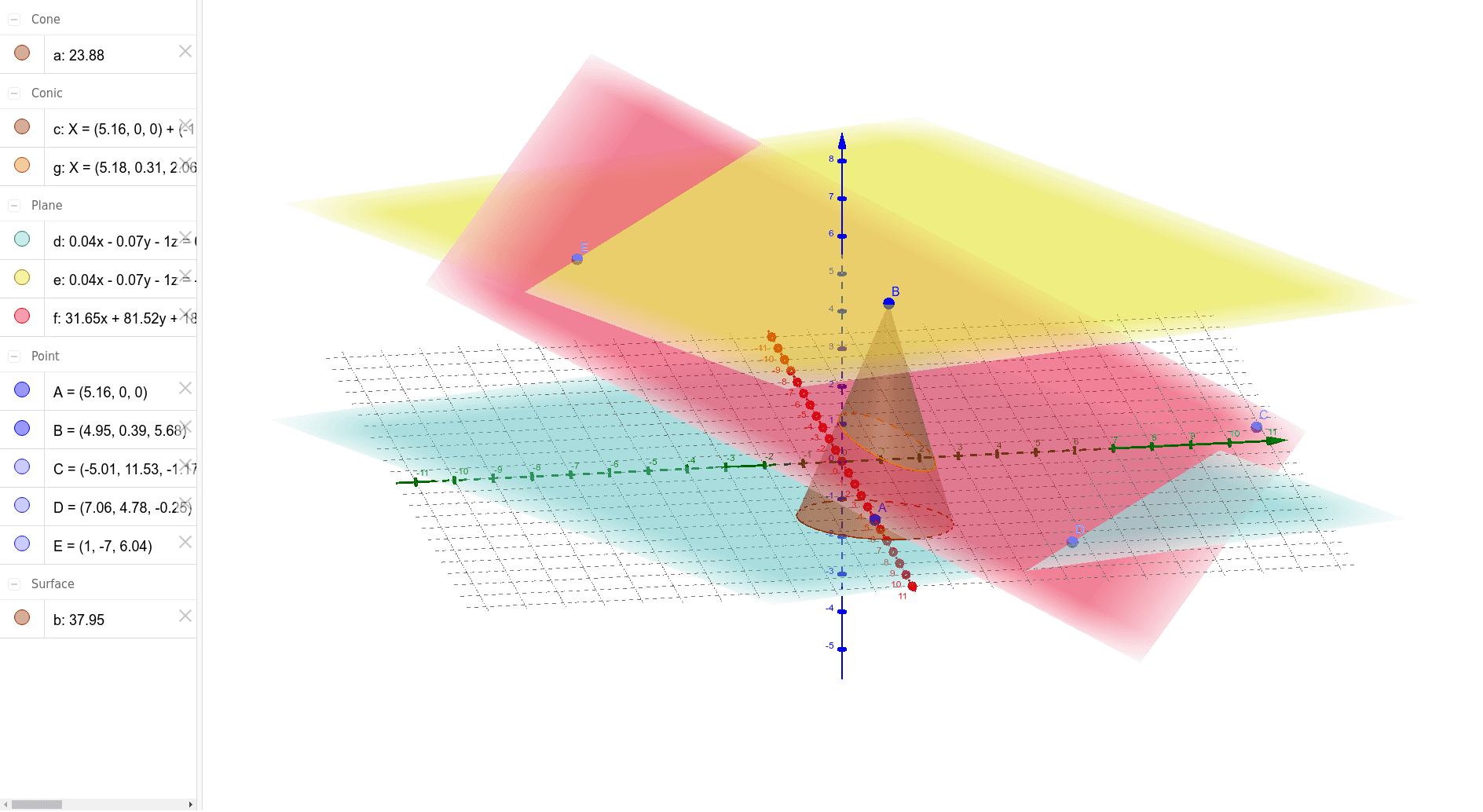
This example demonstrates the construction of a cone in 3D space and its relationship with vectors. Core mathematical concepts include solid geometry, vector operations, median value, differential equations, complex numbers, and centroid calculation. Key GeoGebra commands used are Cone, Plane, PointIn, and IntersectPath for defining the cone and its intersections. Suitable for high school students and math enthusiasts exploring spatial geometry and vector analysis.
GeoGebra Commands & Parameters
Cone(A, B, 2) → a, c, bPlane(c) → dPlane(B, d) → ePointIn(d) → CPointIn(d) → DPointIn(e) → EPlane(C, E, D) → fIntersectPath(f, a) → g
AI Drawing Prompt Reference
Construct a cone in 3D space and demonstrate its relationship with vectors. Define the base and apex of the cone, then find intersections between points on the base and the cone surface to get two curves. Use these points and curves to construct auxiliary planes, and finally obtain a geometric figure formed by the intersection of an auxiliary plane and the cone surface to visually show the connection between vectors and solid geometry.
The prompt above was compiled from the original drawing commands and is for reference only.