
Conditional Probability and Geometric Construction
Loading the math board and drawing, please wait…
In collections
Constructions for Problem Set 2
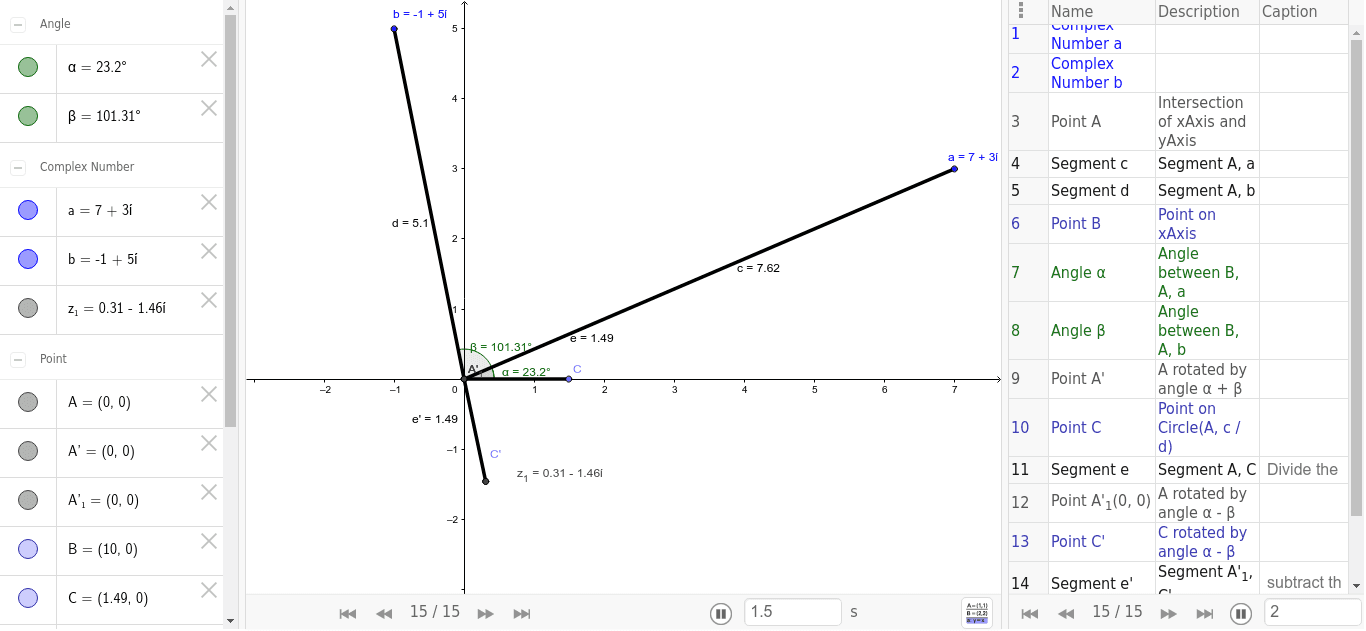
This example dynamically demonstrates the calculation and geometric representation of conditional probability. It involves core concepts like conditional probability, expected value, integers, and ratios. Construction highlights include using commands like Intersect, Segment, Point, Angle, and Rotate to create geometric figures and transformations. Suitable for high school mathematics education, combining probability statistics with geometric constructions.
GeoGebra Commands & Parameters
Intersect(xAxis, yAxis) → ASegment(A, a) → cSegment(A, b) → dPoint(xAxis) → BAngle(B, A, a) → αAngle(B, A, b) → βRotate(A, α + β, A) → A'Point(Circle[A, c / d]) → CSegment(A, C) → eRotate(A, α - β, A) → A'_1Rotate(C, α - β, A) → C'Segment(A'_1, C') → e'
AI Drawing Prompt Reference
Draw a dynamic geometric representation for calculating conditional probability. Start by plotting the x and y axes that intersect at the origin, then draw two line segments from the origin representing variables. Mark points on these segments, calculate angles with the axes, and use rotations and circle intersections to construct new figures. Finally, show the geometric meaning of conditional probability through rotations and connecting segments.
The prompt above was compiled from the original drawing commands and is for reference only.