
Special Right Triangle Ratios
Loading the math board and drawing, please wait…
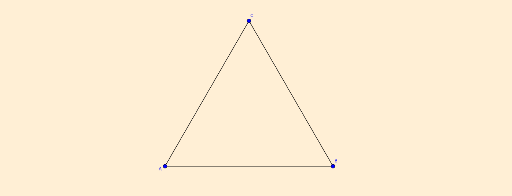
This example demonstrates the ratio relationships in special right triangles (30°-60°-90° and 45°-45°-90°). Key math concepts include trigonometry, similar triangles, and geometric constructions. It uses GeoGebra commands like Intersect, Point, Polygon, Angle, AngularBisector, and Segment. Suitable for high school students learning the properties and applications of special right triangles.
GeoGebra Commands & Parameters
Intersect(xAxis, yAxis) → APoint(xAxis) → BPolygon(A, B, 3) → poly1, f, g, h, CAngle(B, A, C) → αAngle(C, B, A) → βAngle(A, C, B) → γAngularBisector(A, C, B) → iIntersect(i, f) → DAngle(A, C, D) → εAngle(D, C, B) → ζAngle(C, D, A) → δSegment(A, D) → jSegment(D, C) → k
AI Drawing Prompt Reference
Draw a plane figure with coordinate axes, create a point on the x-axis, then construct an equilateral triangle using the origin and this point as vertices, label the three vertices and three interior angles, draw the angle bisector of one angle and find its intersection with the triangle, label the intersection and the three new angles, finally connect the origin to the intersection and the intersection to the other vertex of the equilateral triangle, demonstrating the geometric construction and angle relationships of a 30°-60°-90° triangle.
The prompt above was compiled from the original drawing commands and is for reference only.