
Concentric Circle Sections Colored and Equally Spaced
Loading the math board and drawing, please wait…
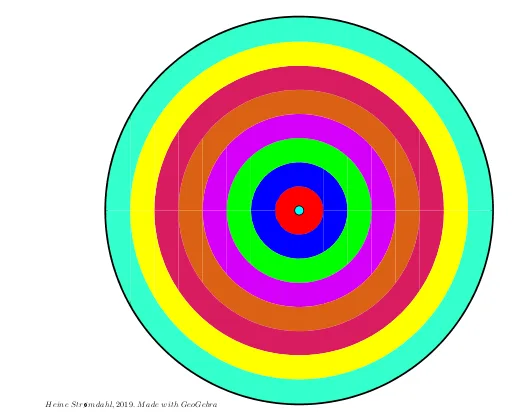
This example demonstrates colored and equally spaced concentric circle sections. It involves core math concepts like circles, inequalities, and geometric construction. The construction uses GeoGebra commands such as Segment, Mirror, and Circle. Suitable for high school mathematics teaching or geometric construction practice.
GeoGebra Commands & Parameters
Segment(A, B) → fSegment(C, D) → gMirror(b, h) → b'Mirror(c, h) → c'Mirror(a, h) → a'Circle(E, 1) → dMirror(A, h) → A'Mirror(B, h) → B'Segment(A', B') → f'Mirror(C, h) → C'Mirror(D, h) → D'Segment(C', D') → g'Segment(F, G) → iSegment(H, I) → jCircle(E, 3) → kMirror(l, h) → l'Mirror(m, h) → m'Mirror(n, h) → n'Segment(J, K) → pSegment(L, M) → qCircle(E, 2) → rMirror(o, h) → o'Mirror(s, h) → s'Mirror(t, h) → t'Segment(O, N) → f_1Mirror(O, eq2) → O'Mirror(N, eq2) → N'Segment(O', N') → g_1Mirror(u, h) → u'Mirror(v, h) → v'Mirror(w, h) → w'Segment(P, Q) → h_1Segment(R, S) → i_1Mirror(f1, h) → f1_1Mirror(f2, h) → f2_1Mirror(f3, h) → f3_1Mirror(f4, h) → f4_1Mirror(f5, h) → f5_1Mirror(a_1, h) → d_1Mirror(b_1, h) → e_1Mirror(c_1, h) → j_1Mirror(f3, h) → f3_2Mirror(f6, h) → f6_1Segment(T, U) → k_1Segment(V, W) → l_1Circle(E, 6) → p_1Mirror(m_1, h) → q_1Mirror(n_1, h) → r_1Mirror(o_1, h) → s_1Mirror(t_1, h) → w_1Mirror(u_1, h) → a_2Mirror(v_1, h) → b_2Mirror(v_1, h) → c_2Circle(E, 8) → d_2Circle(E, 5) → e_2Circle(E, 6) → f_2Circle(E, 7) → g_2Circle(E, 1.006) → h_2
AI Drawing Prompt Reference
Draw a series of concentric rings with different colors and equal spacing. Start by drawing two circles with centers on the same line, then mirror these circles and segments to generate multiple concentric rings. Next, draw circles with different radii and mirror them to create more concentric rings. Finally, fill these rings with different colors to ensure they are equally spaced.
The prompt above was compiled from the original drawing commands and is for reference only.