
Composite Surface Area: Cube and Prism Combination
Loading the math board and drawing, please wait…
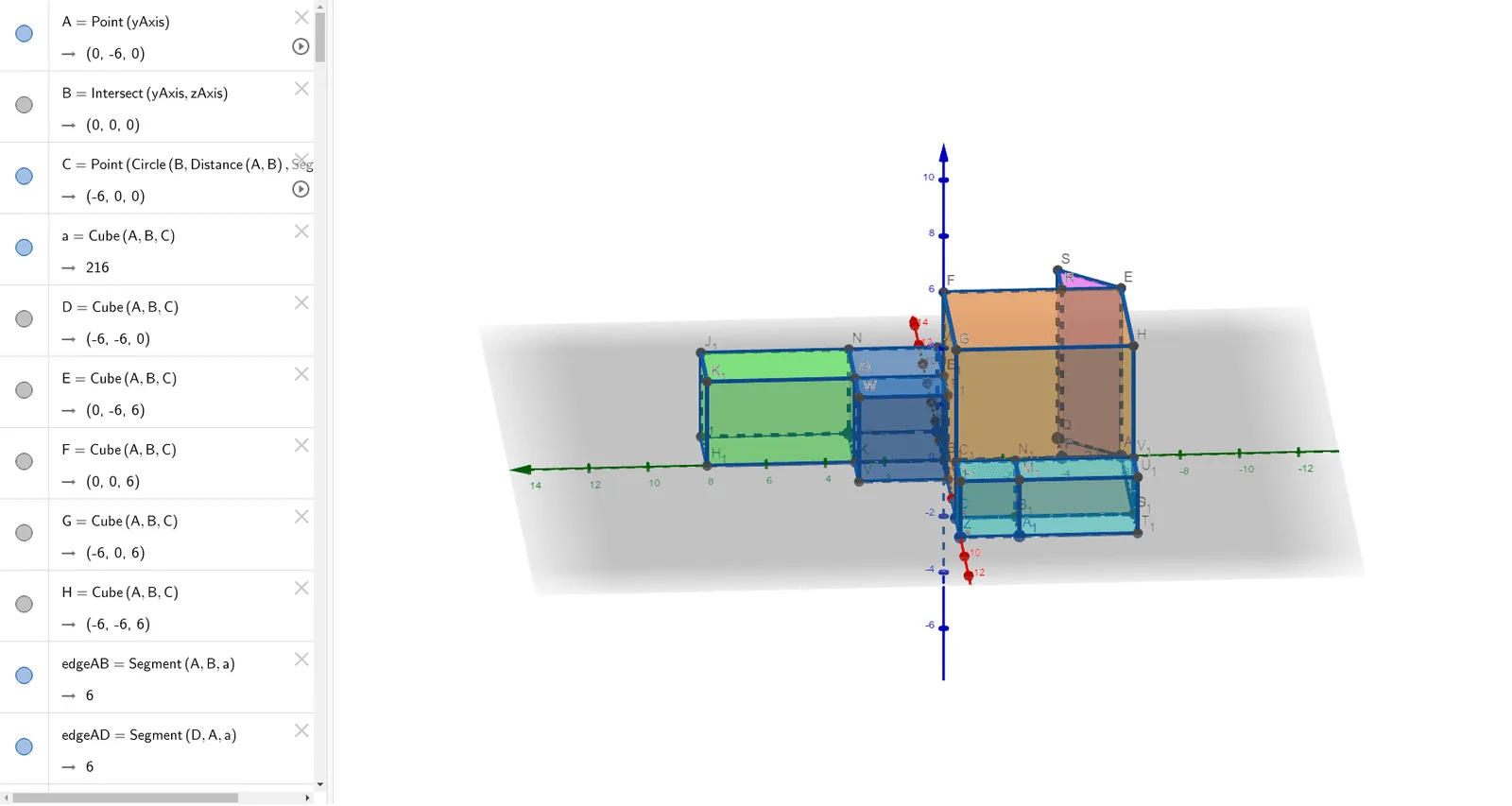
This GeoGebra example demonstrates how to compute the surface area of a composite solid formed by attaching a rectangular prism to a cube. The core mathematical concepts include solid geometry, surface area, congruence, and the decomposition of composite shapes into individual faces. The construction uses GeoGebra commands such as Point, Intersect, Cube, and Prism to create the 3D objects, including the cube ABCD-EFGH and the prism BIJK-LMNO, with defined faces (e.g., faceABCD, faceBIJK) and edges (e.g., edgeAD, edgeAB). It also incorporates random experiments, unit circle, and sine functions as auxiliary elements. This resource is suitable for high school or early college students to enhance spatial visualization and practice surface area calculations, and for teachers to illustrate the concept of composite surface area in an interactive way.
GeoGebra Commands & Parameters
Point(yAxis) → AIntersect(yAxis, zAxis) → BPoint(Circle[B, Distance[A, B], Segment[A, B]]) → CCube(A, B, C) → a, D, faceCDHG, faceEFGH, edgeAD, edgeAB, edgeBC, edgeCD, edgeAE_1, edgeDH, edgeEH, edgeEF, E, edgeBF, edgeFG, edgeCG, edgeGH, F, G, H, faceABCD, faceADHE, faceABFE, faceBCGFPoint(xAxis) → IPoint(Circle[I, Distance[B, I], Segment[B, I]]) → JCube(B, I, J) → b, K, faceJKON, faceLMNO, edgeBK, edgeBI, edgeIJ, edgeJK, edgeBL, edgeKO, edgeLO, edgeLM, L, edgeIM, edgeMN, edgeJN, edgeNO, M, N, O, faceBIJK, faceBKOL, faceBIML, faceIJNMPrism(faceBKOL, d) → e, T, edgeLT, edgeBU, edgeKV, edgeOW_1, edgeTU, edgeUV, edgeVW, edgeTW, U, V, W, faceBLTU, faceBKVU, faceKOWV, faceLOWT, faceTUVWPoint(edgeAB) → PPrism(A, P, Q, E) → c, R, edgeAQ, edgeAE, edgePR, edgeQS, edgeER, edgeRS, edgeES, S, faceAPQ, faceAERP, facePQSR, faceAESQ, faceERS, edgeAP, edgePQPrism(faceKOWV, g) → h, D_1, edge8, edge9, edge11, edge10, edge12, edge14, edge15, edge13, E_1, F_1, G_1, face6, face8, face9, face7, face10Prism(faceJKON, i) → j, H_1, edge17, edge16, edge18, edge19, edge20, edge22, edge23, edge21, I_1, J_1, K_1, face11, face12, face14, face13, face15Point(xAxis) → ZPoint(Circle[Z, Distance[C, Z], Segment[C, Z]]) → A_1Cube(C, Z, A_1) → f, B_1, face5, face16, edge1, edgeCZ, edge3, edge5, edge2, edge7, edge25, edge24, C_1, edge4, edge26, edge6, edge27, L_1, M_1, N_1, face1, face3, face2, face4Prism(face5, l) → m, S_1, edge37, edge36, edge38, edge39, edge40, edge42, edge43, edge41, T_1, U_1, V_1, face22, face23, face25, face24, face26
AI Drawing Prompt Reference
Draw a composite solid formed by a cube ABCD-EFGH and a prism BIJK-LMNO attached to one of its edges, followed by a prism APQ-ERS on another edge, and a prism KOWV-D_1E_1F_1G_1 on the same edge. Make sure all faces and edges are correctly connected.
The prompt above was compiled from the original drawing commands and is for reference only.