
Completing the Square Demo
Loading the math board and drawing, please wait…
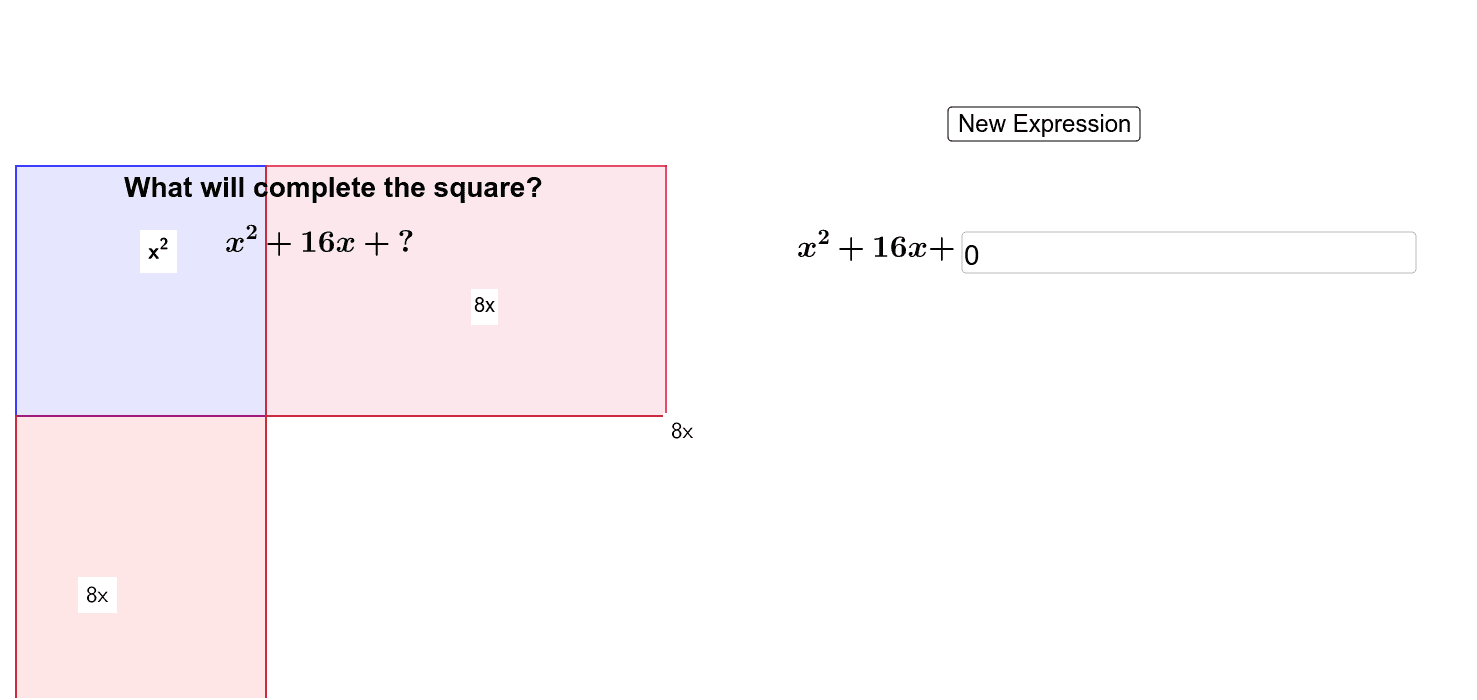
This example demonstrates the transformation of a quadratic function into vertex form using the completing the square method, visually showing the changes in the vertex of the parabola. It involves core mathematical concepts such as quadratic functions, completing the square, vertex coordinates, and analytical geometry. Key construction elements include RandomElement for parameter generation, and commands like Circle, Polygon, Line, Point, Segment, along with objects like PointIn, Intersect, and Textfield for interactive visualization. Suitable for high school mathematics teaching to help students understand the method and its applications.
GeoGebra Commands & Parameters
RandomElement({1, 2, 3, 4, 5, 6, 7, 8, 9, 10, 11, 12, 13, 14, 15}) → nRandomElement({1, 2, 3, 4, 5}) → aCircle(B, n) → pPolygon(A, B, 4) → poly1, b, c, d, e, C, DLine(C, B) → kPoint(Circle[A, abs(n)]) → FSegment(A, F) → gPoint(Circle[A, abs(n)]) → GSegment(A, G) → hPoint(Circle[D, abs(n)]) → HSegment(D, H) → iPolygon(A, D, H, G) → poly3, a_2, d_1, h_1, g_1Point(Circle[G, abs(n)]) → ISegment(G, I) → jPolygon(F, I, G, A) → poly4, f_2, i_1, g_2, a_3PointIn(poly1) → Pointpoly1_1PointIn(poly3) → Pointpoly3_1PointIn(poly4) → Pointpoly4PointIn(poly1) → Pointpoly1Intersect(p, k) → E, JPolygon(B, E, F, A) → poly2, b_1, e_1, f, a_1PointIn(poly2) → Pointpoly2_1PointIn(poly2) → Pointpoly2PointIn(poly3) → Pointpoly3Textfield(t) → inputBox1Polygon(B, J, F, A) → poly5, b_2, j_1, f_1, a_4PointIn(poly5) → Pointpoly5