
Comparing Fractions by Kimmy Tan
Loading the math board and drawing, please wait…
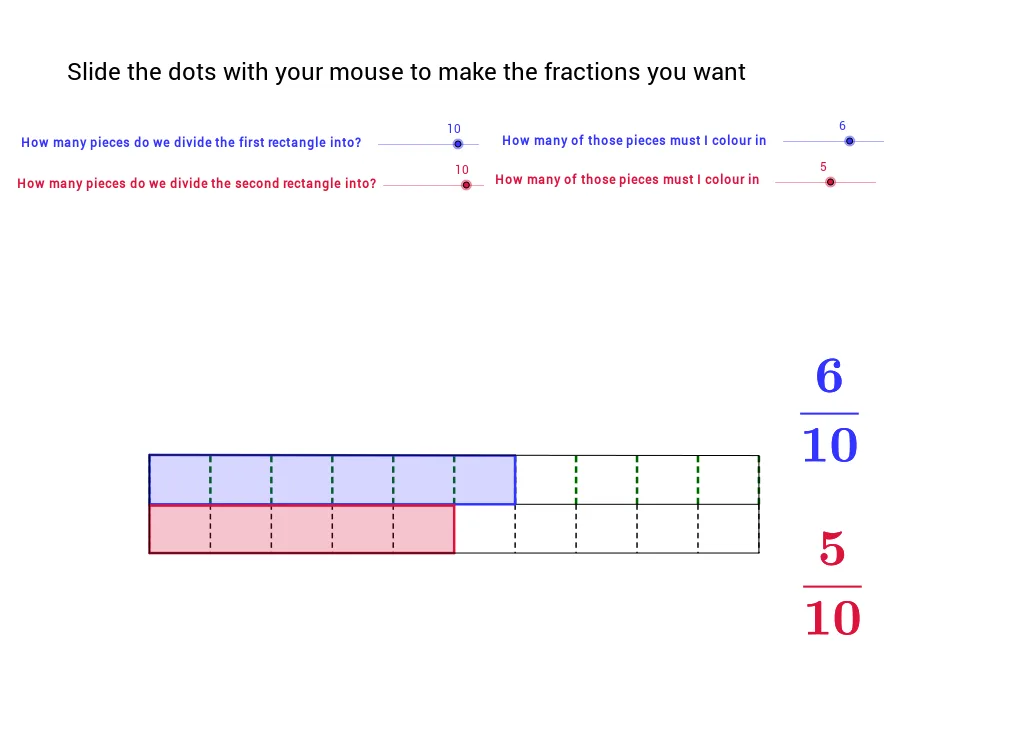
This example demonstrates how to visually compare the sizes of two fractions. Key math concepts include fractions, line segments, angles, linear equations, right triangles, and limits. Construction highlights the use of GeoGebra commands/objects like LCM, Sequence, Element, Segment, and Polygon. Suitable for middle school and above for teaching and understanding mathematics.
GeoGebra Commands & Parameters
LCM(den1, den2) → bSequence((-5 + i * 10 / den1, 0), i, 0, den1) → list1Element(list1, 1) → cSequence((-5 + i * 10 / den1, 0.8), i, 0, den1) → list2Sequence(Segment[Element[list1, i], Element[list2, i]], i, 1, den1 + 1) → list3Sequence((-5 + i * 10 / den2, 0), i, 0, den2) → list4Sequence((-5 + i * 10 / den2, -0.8), i, 0, den2) → list5Sequence((-5 + i * 10 / b, 0), i, 0, b) → list7Sequence(Segment[Element[list4, i], Element[list5, i]], i, 0, den2 + 1) → list6Segment(D, C) → aPolygon(E, F, J_1, K_1) → poly1, e, f, j_1, k_1Polygon(H, G, K_2, J_2) → Poly2, h, g, k_2, j_2Segment(J_1, K_11) → dSegment(J_1, K_2) → iSegment(K_2, K) → jSegment(K_11, K) → k