
Compare Two Fractions with Sliders
Loading the math board and drawing, please wait…
In collections
Jessica's Fraction Book
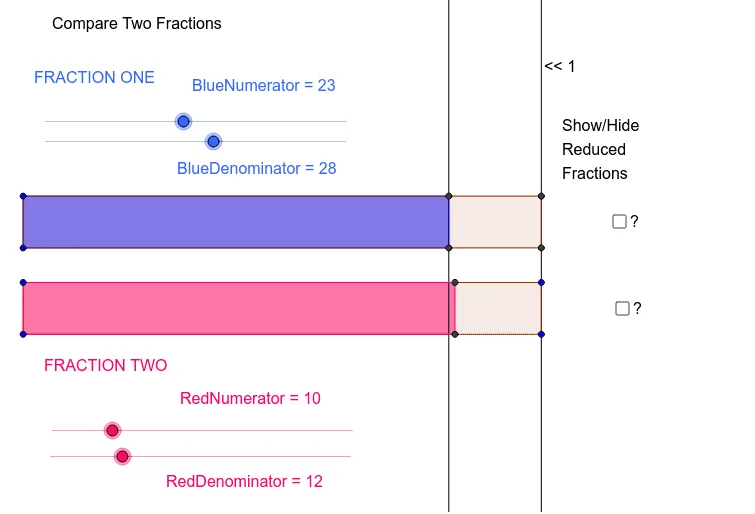
This example demonstrates how to compare two fractions by dynamically adjusting their numerators and denominators with sliders. Core mathematical concepts include the definition of fractions, fraction comparison, equivalent fractions, and ordering of rational numbers. Construction highlights: Polygon commands create rectangular area models for each fraction, Line commands draw dividing lines, and FractionText commands display the fraction notation; key objects are the slider variables BlueDenominator, BlueNumerator, RedDenominator, RedNumerator, multiple polygons poly1‑poly4, and text objects text1, text2. Suitable for upper elementary to lower secondary mathematics instruction, ideal for teacher demonstrations and student inquiry.
GeoGebra Commands & Parameters
Polygon(D, B, A, C) → poly1, d_2, b, a_1, cPolygon(D, N2, N1, C) → poly2, d_1, n2, n1, c_1Line(B, A) → aLine(N2, N1) → dPolygon(E, F, H, G) → poly3, e, f, h, gPolygon(E, F, J, I) → poly4, e_1, f_1, j, iFractionText(BlueNumerator / BlueDenominator) → text5FractionText(RedNumerator / RedDenominator) → text6