
Compare Fractions by Dolores Behme
Loading the math board and drawing, please wait…
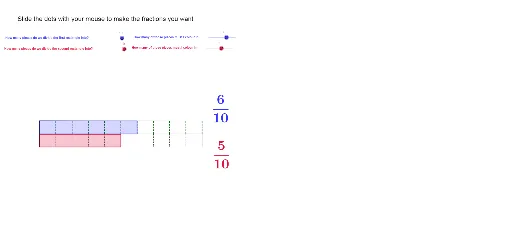
This example demonstrates how to compare two fractions using GeoGebra. Key mathematical concepts include the properties of fractions and comparison methods. By using commands like LCM, Sequence, and Element, users can dynamically adjust the numerators and denominators of the fractions, observing their effects on the fraction's size. Suitable for upper elementary and middle school students learning fraction comparison and basic operations.
GeoGebra Commands & Parameters
LCM(den1, den2) → bSequence((-5 + (i * 10 / den1), 0), i, 0, den1) → list1Element(list1, 1) → cSequence((-5 + (i * 10 / den1), 0.8), i, 0, den1) → list2Sequence(Segment[Element[list1, i], Element[list2, i]], i, 1, den1 + 1) → list3Sequence((-5 + (i * 10 / den2), 0), i, 0, den2) → list4Sequence((-5 + (i * 10 / den2), -0.8), i, 0, den2) → list5Sequence((-5 + (i * 10 / b), 0), i, 0, b) → list7Sequence(Segment[Element[list4, i], Element[list5, i]], i, 0, den2 + 1) → list6Segment(D, C) → aPolygon(E, F, J_1, K_1) → poly1, e, f, j_1, k_1Polygon(H, G, K_2, J_2) → Poly2, h, g, k_2, j_2Segment(J_1, K_11) → dSegment(J_1, K_2) → iSegment(K_2, K) → jSegment(K_11, K) → k