
Combined Construction of Right Isosceles and Equilateral Triangles
Loading the math board and drawing, please wait…
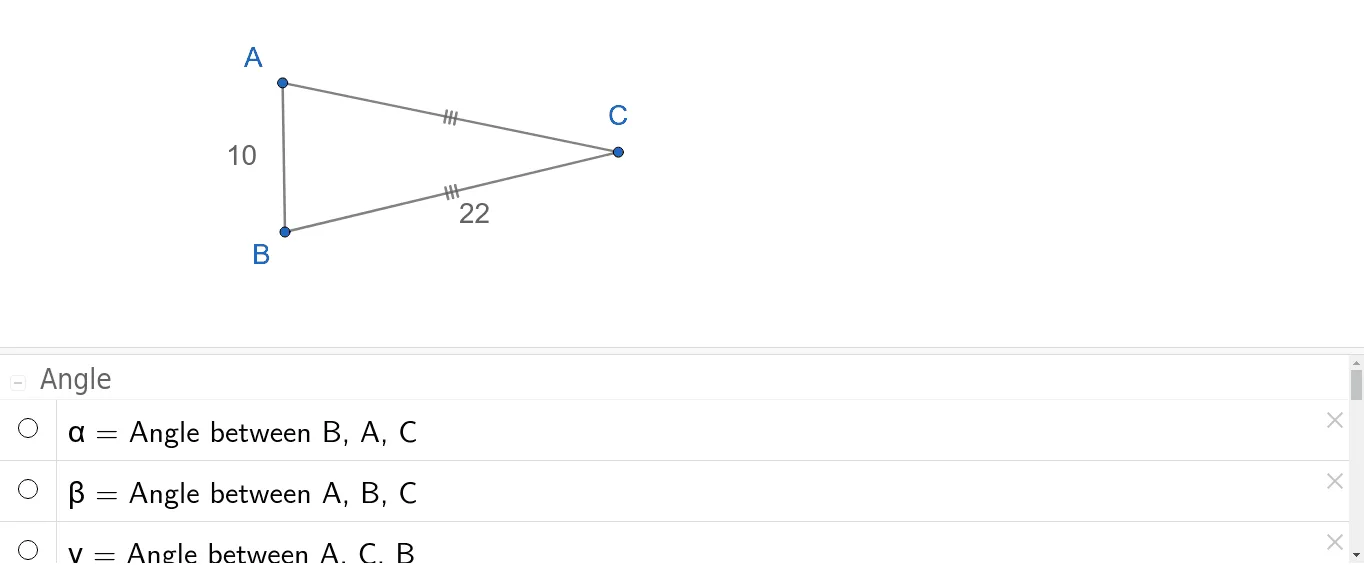
This GeoGebra example demonstrates the construction of a combined figure featuring right isosceles triangles and equilateral triangles, exploring their side lengths, angles, and positional relationships. The core mathematical concepts include triangle classification (isosceles, right, equilateral), perpendicular bisectors, angle bisectors, orthogonal lines, and polygon area/angle calculations. The construction uses GeoGebra commands such as Polygon, Segment, LineBisector, Point, Angle, and OrthogonalLine, involving objects like D, E, poly1, f, g, h, F, i, j, k, A, B, l, m, C, n, p, α, β, γ, G, H, q, r, I, s, t, and δ. It is suitable for middle or high school geometry classes, helping students visualize properties of special triangles, symmetry, and precise construction techniques, as well as exploring area or side-length relationships between different triangle types.
GeoGebra Commands & Parameters
Polygon(D, E, 3) → poly1, f, g, h, FSegment(E, D) → iSegment(D, F) → jSegment(F, E) → kSegment(A, B) → lLineBisector(A, B) → mPoint(m) → CSegment(A, C) → nSegment(C, B) → pAngle(B, A, C) → αAngle(A, B, C) → βAngle(A, C, B) → γSegment(G, H) → qOrthogonalLine(H, q) → rPoint(r) → ISegment(I, H) → sSegment(I, G) → tAngle(G, H, I) → δ
AI Drawing Prompt Reference
Draw a combined geometric figure: first construct an equilateral triangle, then on one of its sides build an isosceles right triangle outward, with its right-angle vertex lying on the perpendicular bisector of that side. Next, on another side of the equilateral triangle, construct another isosceles right triangle with that side as base, its right-angle vertex on the perpendicular line to that side. Finally, label the interior angles of all triangles and show the side-length and angle relationships among the equilateral and the two right isosceles triangles.
The prompt above was compiled from the original drawing commands and is for reference only.