
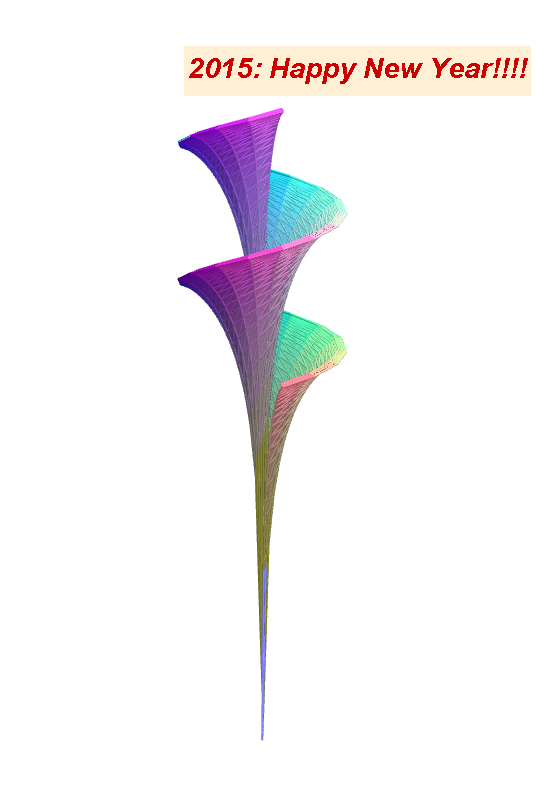
Coloring Dini's Surface in GeoGebra 5
Loading the math board and drawing, please wait…
In collections
My 3D Collection
This example demonstrates how to graph and color Dini's surface in GeoGebra 5, a complex 3D parametric surface. Key math concepts include parametric equations, 3D graphing, function visualization, and symmetry. Construction highlights involve commands like Sequence, Join, RemoveUndefined, Textfield, Max, Min, Surface, and Point. Suitable for high school students and math enthusiasts learning parametric surface plotting and visualization.
GeoGebra Commands & Parameters
Sequence(Sequence[(u_{min} + (i * dx), v_{min} + (j * dy)), i, 0, Na], j, 0, Na) → l1aJoin(l1a) → uvRemoveUndefined(X1) → X1ERemoveUndefined(Y1) → Y1ERemoveUndefined(Z1) → Z1ETextfield(X1) → inputBox1Textfield(Y1) → inputBox2Textfield(Z1) → inputBox3Max(X1E) → x1maxaMin(X1E) → x1minaMax(Y1E) → y1maxaMin(Y1E) → y1minaMax(Z1E) → z1maxaMin(Z1E) → z1minaTextfield(N) → inputBox6Surface(((5 * cos(u)) * sin(v)), ((r_Y * sin(u)) * sin(v)), (r_Z * (cos(v) + log(tan(v / 2)))) + (a * u), u, u_{min}, u_{max}, v, v_{min}, v_{max}) → hTextfield(h) → inputBox4Point(M_{866}) → BPoint(M_{923}) → A