
cmm
Loading the math board and drawing, please wait…
In collections
Symmetry, Transformation and Tessellation
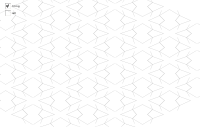
This example demonstrates the mirror transformation of a triangle. Key mathematical concepts include triangles, vectors, and mirror transformations. It uses commands like Segment, Mirror, Point, Line, Midpoint, and Vector in GeoGebra. Suitable for middle school and above students to learn about triangle properties and transformations.
GeoGebra Commands & Parameters
Segment(K, N) → hSegment(K, M) → gSegment(K, L) → fSegment(J, K) → eMirror(cell1, j) → cell2Point(j) → BMirror(B, xAxis) → CLine(A, D) → nMirror(cell2, n) → cell4Mirror(cell1, n) → cell3Midpoint(A, B) → EMidpoint(B, D) → FMidpoint(D, C) → GMidpoint(C, A) → HMidpoint(C, B) → IVector(A, B) → uVector(A, C) → vVector(C, D) → wVector(B, D) → aSegment(H, F) → bSegment(E, G) → cSequence(Translate[Sequence[Translate[tile, Vector[(n * u)]], n, -3, 3], Vector[(m * v)]], m, -3, 3) → tilingLine(H, E) → kLine(G, F) → lSegment(I, B) → pSegment(A, I) → qLine(H, G) → rLine(E, F) → s
AI Drawing Prompt Reference
Draw a triangle ABC, then perform mirror transformations on the triangle using segments AB, BC, and CA as axes to generate new triangles. Connect the corresponding points of the original and mirrored triangles to form new triangles. Finally, use the sides of the original triangle to generate a series of parallelograms to create a tiling pattern.
The prompt above was compiled from the original drawing commands and is for reference only.