
Clockwise vs Counterclockwise Rotations with Sliders
Loading the math board and drawing, please wait…
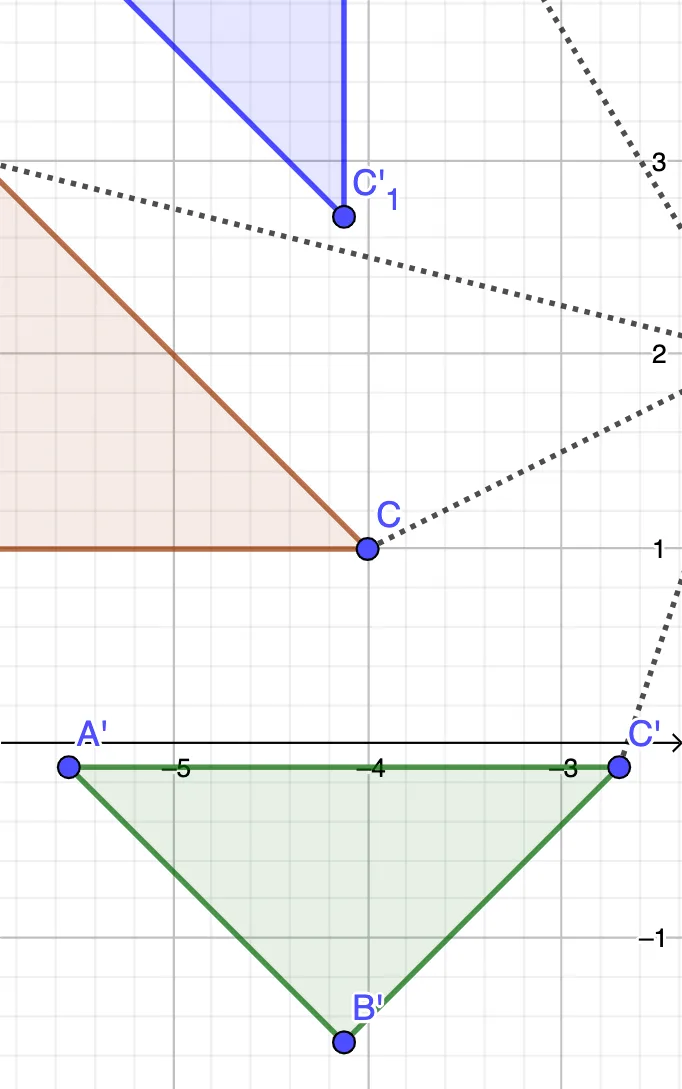
This GeoGebra example uses sliders to dynamically compare rotations in clockwise versus counterclockwise directions, showing how the same shape moves and how corresponding points relate after each rotation. It focuses on plane rotation as a geometric transformation, the signed meaning of rotation angle (direction), point-to-point correspondence under rotation, and the fact that the rotated figure remains congruent while its coordinates change. Construction-wise, it builds a polygon (e.g., a triangle) using Polygon with base points such as A, B, and C, then applies Rotate with angle parameters (like α and β) to generate the rotated points (A′, B′, C′ and related indexed objects). Segment is used to draw edges and visual guides, while Angle marks or determines the rotation angle so the slider controls directly affect the displayed transformation. Suitable for middle and high school students, as well as classroom demonstrations and self-study on coordinate geometry and geometric constructions involving rotations.
GeoGebra Commands & Parameters
Polygon(A, B, C) → t1, c, a, bRotate(A, α, D) → A'Rotate(B, α, D) → B'Rotate(C, α, D) → C'Polygon(A', B', C') → t1', c', a', b'Rotate(A, (-β), D) → A'_1Rotate(B, (-β), D) → B'_1Rotate(C, (-β), D) → C'_1Polygon(A'_1, B'_1, C'_1) → t1'_1, c'_1, a'_1, b'_1Segment(C, D) → fSegment(D, C'_1) → gSegment(A, D) → hSegment(D, A'_1) → iAngle(A, D, A'_1) → δSegment(B, D) → jSegment(D, A) → kSegment(D, B'_1) → lSegment(A, D) → mAngle(C, D, C') → γSegment(D, C') → n
AI Drawing Prompt Reference
Draw a triangle with a point outside as the rotation center. Use two sliders to control clockwise and counterclockwise rotation angles separately. Generate two rotated triangles, one for each direction, and connect the center to corresponding vertices with segments to show rotation paths. Mark the rotation angles to visually compare the two directions.
The prompt above was compiled from the original drawing commands and is for reference only.