
Circular Base Cross-Section and Isosceles Right Triangle Volume Calculation
Loading the math board and drawing, please wait…
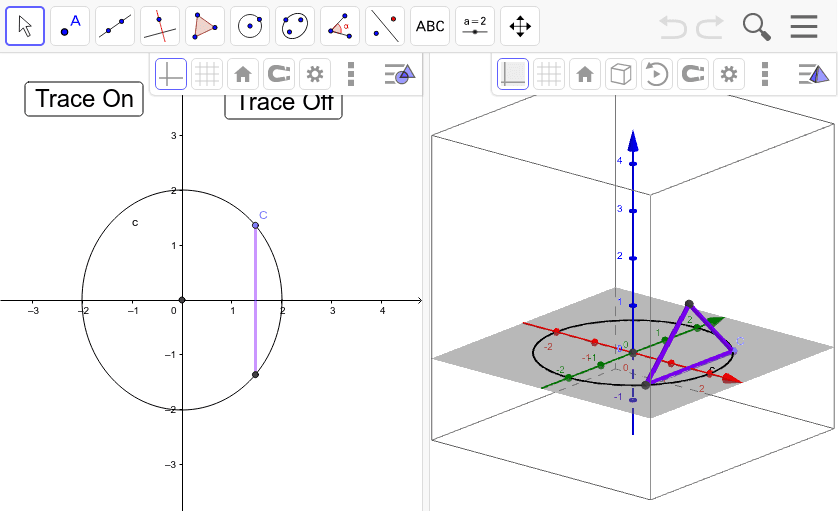
This example demonstrates the calculation of volume using the cross-sectional area of an isosceles right triangle within a unit circle, involving integral calculus and coordinate geometry. It utilizes GeoGebra commands like Point, Intersect, Circle, and Segment for construction. Suitable for high school and above students learning solid geometry and calculus applications.
GeoGebra Commands & Parameters
Point(xAxis) → AIntersect(xAxis, yAxis) → BCircle(B, A) → cPoint(c) → CSegment(C, D) → dSegment(G, D) → aSegment(G, C) → b
AI Drawing Prompt Reference
Draw a unit circle and an isosceles right triangle base within it. Start by taking a point A on the x-axis, then take a point B at the origin, and draw a circle c with B as the center and A as the radius. Next, take a point C on circle c, connect C to a point D on the x-axis, and connect C to point B, forming the base of the isosceles right triangle.
The prompt above was compiled from the original drawing commands and is for reference only.