
Circles in 3D Space
Loading the math board and drawing, please wait…
In collections
Learn 3D Calculator
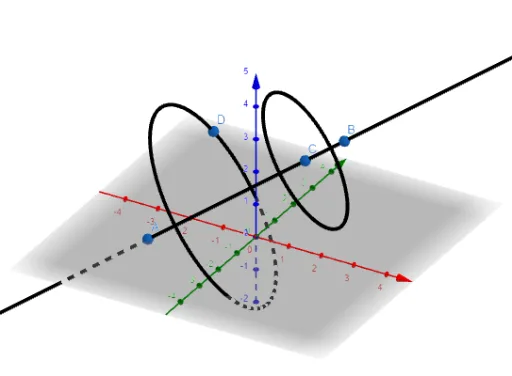
This example demonstrates how to draw circles in 3D space. It involves core mathematical concepts such as coordinate geometry and vectors. Using GeoGebra commands Line, Point, Circle, objects A, B, f, C, c, D, e are constructed. Suitable for high school and above students or teachers for teaching or self-study of 3D geometry.
GeoGebra Commands & Parameters
Line(A, B) → fPoint(f) → CCircle(C, 2, f) → cCircle(f, D) → e
AI Drawing Prompt Reference
Draw circles in 3D space. First, draw a line f through points A and B. Then, select a point C on line f. Next, draw a circle c with center C and f as the axis with a radius of 2. Finally, select another point D on line f and draw another circle e with center D and f as the axis.
The prompt above was compiled from the original drawing commands and is for reference only.