
Circle Sort of Multiples of 4
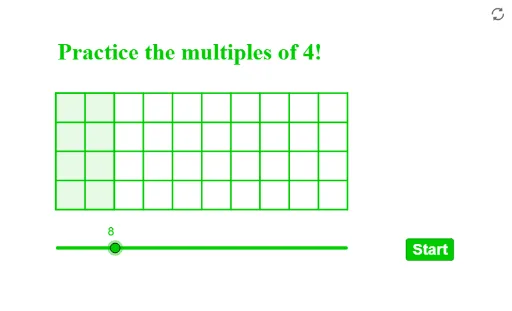
Loading the math board and drawing, please wait…
This example demonstrates how to classify multiples of 4 using circles. It involves core math concepts like multiples, classification, and circle properties. Construction highlights include commands like Shuffle, Element, Circle, Polygon, Sequence. Suitable for middle school mathematics teaching to understand the relationship between multiples and graphical classification.
GeoGebra Commands & Parameters
Shuffle(listp) → listq, {(14, 14), (8, 14), (11, 14), (3, 11), (2, 14), (6, 11), (9, 11), (15, 11), (12, 11), (5, 14)}Element(listq, 1) → P1Element(listq, 2) → P2Element(listq, 3) → P3Element(listq, 4) → P4Element(listq, 5) → P5Element(listq, 6) → P6Element(listq, 7) → P7Element(listq, 8) → P8Element(listq, 9) → P9Element(listq, 10) → P10Circle(P1, rR) → aaCircle(P2, rR) → bbCircle(P3, rR) → ccCircle(P4, rR) → ddCircle(P5, rR) → eeCircle(P6, rR) → ffCircle(P7, rR) → ggCircle(P8, rR) → hhCircle(P9, rR) → iiCircle(P10, rR) → jjShuffle(listquestion) → listqn, {1, 3, 6, 10, 2, 5, 4, 7, 8, 9}Element(listqn, elm) → qQPolygon((2, 9), (2, 13), (a / 4 + 2, 13), (a / 4 + 2, 9)) → q1, f, g, h, iSequence(Segment[(2, 9 + n), (12, 9 + n)], n, 0, 4) → l1Sequence(Segment[(m, 9), (m, 13)], m, 2, 12) → l2