
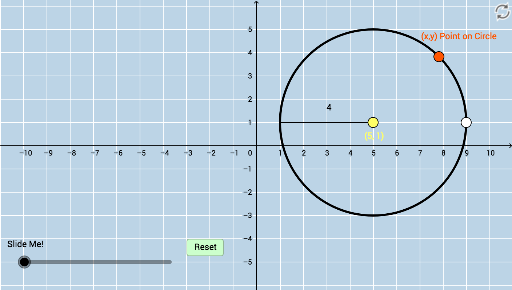
Circle Equation: Center NOT (0,0)
Loading the math board and drawing, please wait…
In collections
Expressing Geometric Properties with Equations (GPE) Cluster
Conic Sections
Conic Sections- Maths Made Easy
CCSS High School: Geometry (Circle equations)
CCSS High School: Geometry Circle Equations
This example demonstrates how to draw a circle with a center not at the origin (0,0) and its related geometric elements. It involves core mathematical concepts such as circle equations, coordinate geometry, and distance calculations. Key GeoGebra commands used include Circle, Point, Segment, Intersect, Distance, Dilate, Angle, Polygon, and Ray. Suitable for high school students learning coordinate geometry and geometric constructions.
GeoGebra Commands & Parameters
Circle(A, B) → cPoint(c) → CSegment(A, C) → gIntersect(a, f) → DSegment(A, D) → dSegment(D, C) → eDistance(D, C) → distanceDCDistance(A, D) → distanceADDistance(A, C) → distanceACDilate(A, If[0 < h ≤ 1, 1 - h, 0], D) → A'Segment(A, A') → iDilate(D, If[1 < h ≤ 2, 2 - h, 0], C) → D'Segment(D, D') → jAngle(C, D, A) → αDilate(C, If[2 < h ≤ 3, 3 - h, 0], A) → C'Segment(C, C') → kPolygon(A, D, C) → poly1, c_1, a_1, d_1Distance(A, B) → lPoint(f) → ERay(A, E) → mPoint(m) → FRay(A, F) → nIntersect(c, f, 1) → GSegment(A, G) → q
AI Drawing Prompt Reference
Draw a circle with a center not at the origin and display its related geometric elements. Start by plotting the center and the circle, then connect the center to a point on the circle. Find the intersection of two line segments and draw the connecting segments. Calculate the distances between key points and use these to scale points. Finally, connect these points to form a polygon and draw rays and intersection points to complete the construction.
The prompt above was compiled from the original drawing commands and is for reference only.