
Circle Equation by suranteran
Loading the math board and drawing, please wait…
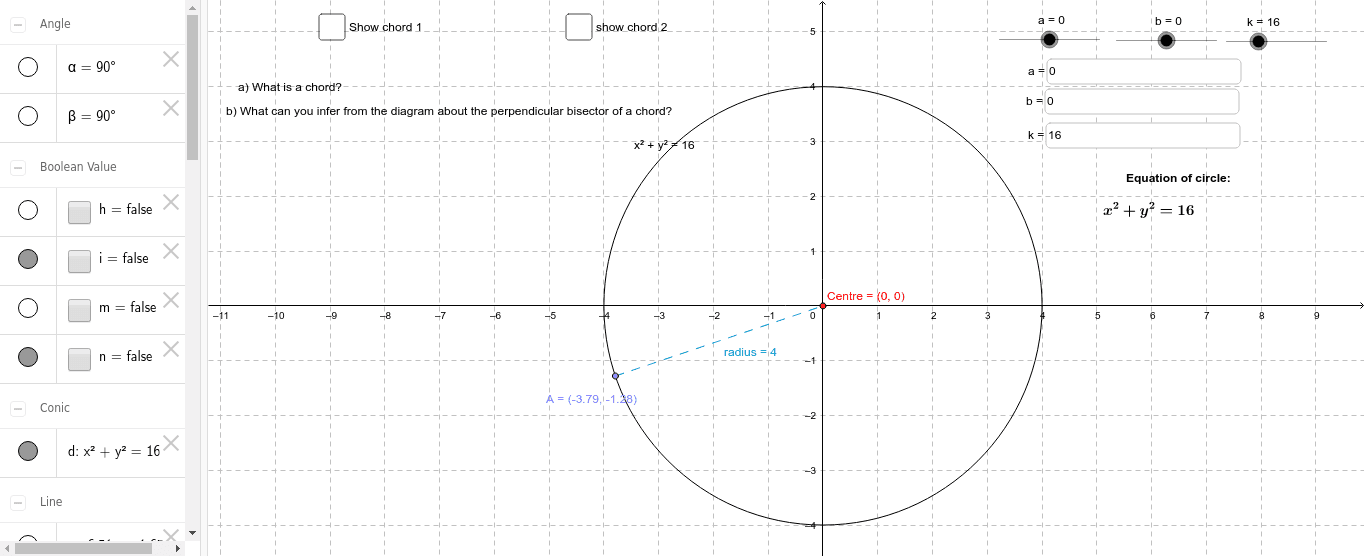
This example demonstrates the equation of a circle and its related geometric properties. Core math concepts include the standard equation of a circle, coordinate geometry, angle bisectors, intersections, segments, and angles. Constructed using GeoGebra commands/objects like Textfield, Point, LineBisector, Intersect, Segment, and Angle. Suitable for high school students learning about the geometric and algebraic representation of circles.
GeoGebra Commands & Parameters
Textfield(a) → inputBox1Textfield(b) → inputBox2Textfield(k) → inputBox3Point(d) → APoint(d) → BPoint(d) → CLineBisector(A, B) → eLineBisector(B, C) → fIntersect(f, e) → CentreSegment(A, Centre) → radiusSegment(A, B) → chord1Segment(B, C) → chord2Intersect(e, chord1) → DSegment(A, D) → cSegment(D, B) → gAngle(B, D, Centre) → αIntersect(d, chord2, 1) → EIntersect(f, chord2) → FSegment(E, F) → jSegment(F, C) → lAngle(C, F, Centre) → β
AI Drawing Prompt Reference
Draw a circle with labeled center, radius, and chords. Show the angle bisectors of the chords and their intersection point. Draw two radii from the center to the endpoints of the chords, forming two chords. Use the angle bisector tool to create bisectors of the chords and mark their intersection as the center. Connect the center to the endpoints of the chords to form the radius and chords. Then, mark the intersection points of the angle bisectors with the chords and connect these points. Finally, label the angles formed by the center, endpoints, and intersection points to complete the drawing.
The prompt above was compiled from the original drawing commands and is for reference only.