
Circle Construction and Properties by mathspace
Loading the math board and drawing, please wait…
In collections
Circle - Area & Circumference
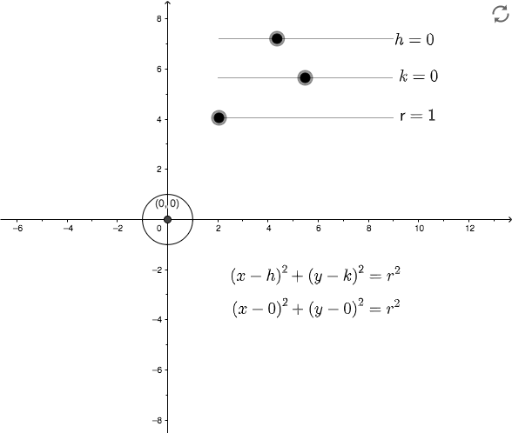
This example demonstrates how to construct a circle using GeoGebra and illustrates its fundamental properties. Key math concepts include circle definition, center, radius, circumference, etc. The construction involves commands/objects like h, k (center coordinates), r (radius), text1-5 (text objects), a (auxiliary point), and c (circle). Suitable for middle school and high school students learning circle geometry and analytical geometry.
GeoGebra Commands & Parameters
Numeric h(0)Numeric k(0)Numeric r(1)r^(2)(x - h)^(2) + (y - k)^(2) = r^(2)(h, k)
AI Drawing Prompt Reference
Draw a circle centered at the origin with radius 1. Mark the center point clearly, then draw the circumference. Label the center coordinates, the radius length, and the circle's equation on the diagram. Additionally, place an auxiliary point on the circle and connect it to the center with a dashed line to illustrate the radius. The figure should clearly show the circle's key elements: center, radius, and circumference, with text annotations to support understanding of circle definitions and properties.
The prompt above was compiled from the original drawing commands and is for reference only.