
Circle Circumference
Loading the math board and drawing, please wait…
In collections
Perimeter Area Circles
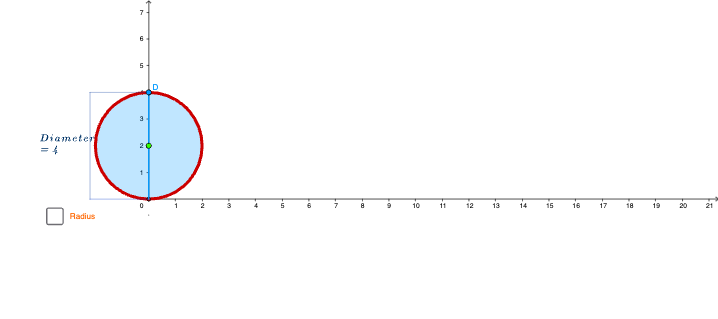
This example demonstrates how to create circles with different diameters by dragging and shows their circumferences. Core math concepts include the circumference formula, the relationship between diameter and circumference. Construction highlights involve commands/objects like Ray, Point, Segment, UnitVector, Circle, Circumference, Intersect, Rotate, Midpoint, Vector, Translate, Arc, Angle in GeoGebra. Suitable for middle school mathematics teaching to help students visually understand the calculation method of circle circumference.
GeoGebra Commands & Parameters
Ray((0, 0), (0, 1)) → posPoint(pos) → DSegment(A, D) → d_1UnitVector(xAxis) → uSegment(P_2, Q_2) → dSegment(R, C) → aPoint(a) → OCircle(O, r) → cCircle(O, r) → c_1Circumference(c_1) → CCIntersect(c, xAxis) → T, BSegment(A, T) → distRotate(T, (-α), O) → T'Segment(P, Q) → bMidpoint(P, Q) → MUnitVector(yAxis) → u_1Segment(P_1, Q_1) → b_1Vector(Q_1, T) → w_1Midpoint(P_1, Q_1) → M_1Vector(Q_2, R) → eMidpoint(d) → M_2Translate(Q, Vector[((2.4 * g) * u)]) → Q'Translate(P, Vector[((2.4 * g) * u)]) → P'Segment(P', Q') → b'Rotate(A, (-3.141592653589793 * (g - 1)), A) → A'_1Rotate(D, ((-(3.141592653589793 / 2)) * (g - 1)), A) → D'Segment(A'_1, D') → fSegment(A, A + (b * u)) → f_1Rotate(A, (-3.141592653589793 * (g - 2)), A + (b * u)) → A'Rotate(A + (b * u), (-3.141592653589793 * (g - 2)), A + (b * u)) → ESegment(A', E) → hSegment(A + (b * u), A + ((2 * b) * u)) → f_2Rotate(A + (b * u), (-3.141592653589793 * (g - 3)), A + ((2 * b) * u)) → FRotate(A + ((2 * b) * u), (-3.141592653589793 * (g - 3)), A + ((2 * b) * u)) → GSegment(F, G) → f_3Segment(T', O) → iSegment(O, T) → jArc(c, T, T') → colorAngle(T', O, T) → βSegment(P_1, A) → v_1Segment(P, A) → vSegment(P_2, A) → zSegment(Q, D) → w
AI Drawing Prompt Reference
Draw a diagram showing circles with different diameters and their circumferences. Start by drawing a vertical line and marking its endpoint. Then draw a line segment as the diameter. Next, create two circles with the midpoint of the diameter as the center, each with different radii. Highlight the circumference of each circle with dashed lines and show the ratio between the diameter and circumference. Finally, use an arc to connect two points on the circle, forming a part of the circle, and label the angle and length to visually demonstrate the calculation method of the circumference.
The prompt above was compiled from the original drawing commands and is for reference only.