
Circle Area Approximation with Trigonometry
Loading the math board and drawing, please wait…
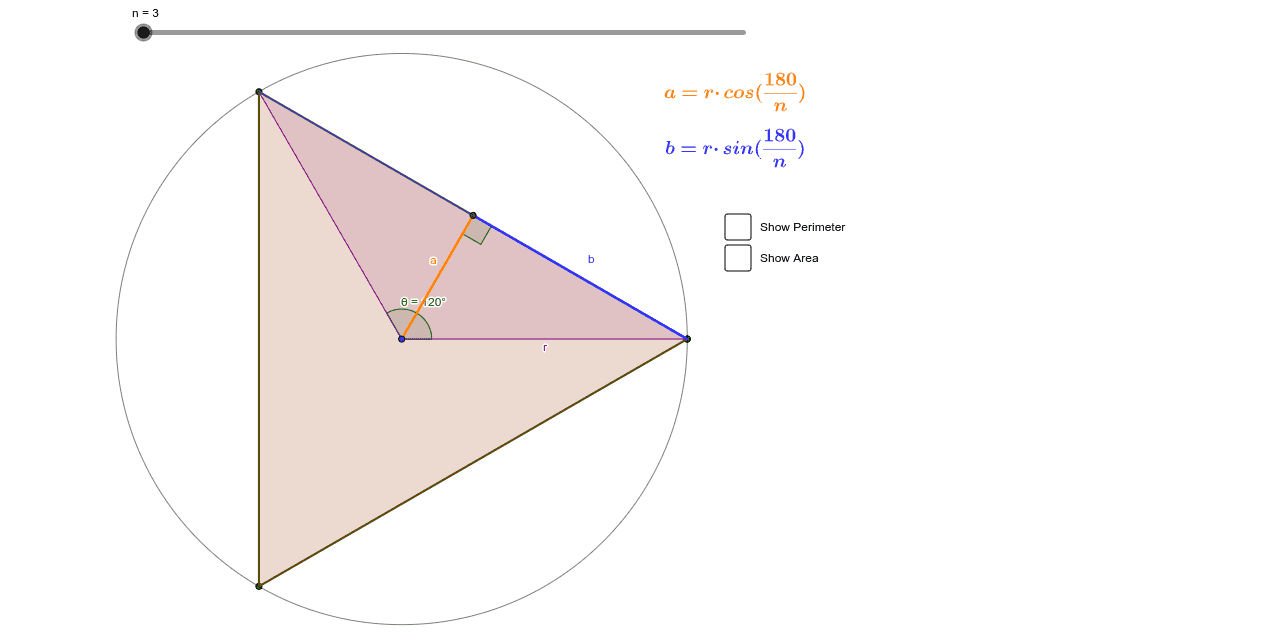
This example demonstrates how to approximate the area of a circle using polygons and trigonometric functions. Key mathematical concepts include the properties of circles, polygon approximation, trigonometric functions, and area calculation. Using GeoGebra commands such as Sequence, Polygon, and Circle, the example allows dynamic adjustment of the number of polygon sides to observe how it approximates the circle and calculates the corresponding area. Suitable for high school mathematics education and learning.
GeoGebra Commands & Parameters
Sequence(Rotate[A, ((2 * pi / n) * i), B], i, 0, n) → list1Sequence(Segment[Element[list1, i], Element[list1, i + 1]], i, 0, n) → list2Polygon(A, B, Element[list1, 2]) → poly1, b, a_1, b_1OrthogonalLine(B, b_1) → dIntersect(d, b_1) → CSegment(B, C) → eAngle(B, C, A) → αRotate(A, (2 * pi / n), B) → A'Angle(A, B, A') → θCircle(B, 2) → fSegment(A, C) → gPolygon(list1) → poly2Textfield(s) → InputBox1
AI Drawing Prompt Reference
Draw a circle and approximate it using inscribed polygons, showing how increasing the number of sides of the polygon approaches the shape of the circle. Construct vertices and edges of the polygon by rotating points and connecting line segments, and calculate the area comparison between the polygon and the circle to illustrate the role of trigonometric functions in approximation. Dynamically adjust the number of polygon sides to observe changes in shape and area, suitable for educational demonstration.
The prompt above was compiled from the original drawing commands and is for reference only.