
Circle and Inscribed Triangle Area
Loading the math board and drawing, please wait…
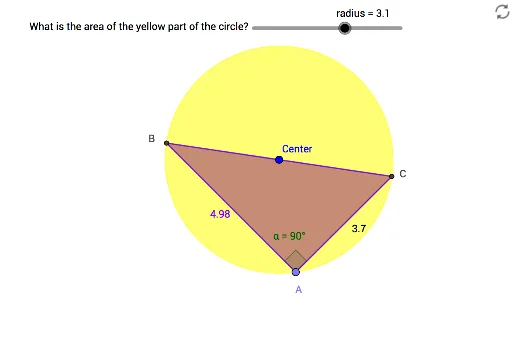
This example demonstrates constructing a circle and its inscribed triangle using GeoGebra, and calculating the areas of both. Key math concepts include circle area formulas, triangle area formulas, vectors, angle calculations, etc. Constructed using commands like Circle, Point, Ray, Intersect, Segment, Angle, Polygon. Suitable for high school mathematics teaching to understand geometric relationships and calculation methods between circles and inscribed figures.
GeoGebra Commands & Parameters
Circle(Center, radius) → cPoint(c) → B_1Ray(B_1, Center) → fIntersect(c, f) → C, BSegment(B, B_1) → gPoint(c) → ASegment(A, B_1) → hSegment(A, B) → iAngle(B_1, A, B) → αPolygon(B, C, A) → poly1, a, b, c_1