
Checking Congruence of Two Figures via Transformations
Loading the math board and drawing, please wait…
In collections
Similarity and Congruence Year 8 Pedagogies in Practice
CCSS IP Math I Unit 5 Lesson 5
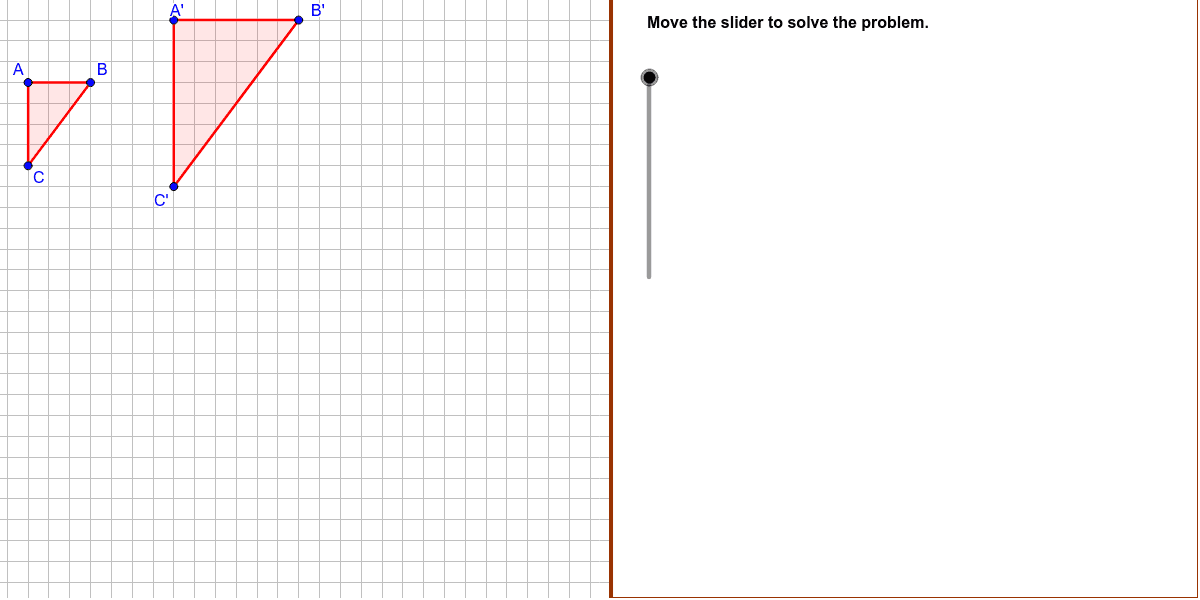
This example demonstrates how to determine whether two polygons are congruent by identifying the geometric transformations—such as translation, rotation, reflection, and dilation—that map one figure onto the other. The core mathematical concepts include congruence, the criteria for triangle congruence, and vector-based transformations. The GeoGebra construction uses the Dilate command for scaling, the Polygon command to create shapes, the Vector tool to represent direction and magnitude, and the Translate command for sliding the figure, with sliders controlling the transformation parameters. It is suitable for high‑school geometry classes and for activities introducing mathematical modeling.
GeoGebra Commands & Parameters
Dilate(C, expansion, A) → CdDilate(B, expansion, A) → BdDilate(A, 2, A) → AdPolygon((22, y(Corner[1])), Corner[2], Corner[3], (22, y(Corner[4]))) → Mask, a, b, c, dPolygon(A, B, C) → poly1, poly1AB, poly1BC, poly1ACVector(A, D) → vTranslate(Ad, v) → A'Translate(Bd, v) → B'Translate(Cd, v) → C'Polygon(Translate[Ad, Vector[Ad, D]], Translate[Bd, Vector[Ad, D]], Translate[Cd, Vector[Ad, D]]) → poly2, poly2AB, poly2BC, poly2ACPolygon(Ad, Bd, Cd) → polyD, polyDAB, polyDBC, polyDACVector(A, A') → TranslationVector
AI Drawing Prompt Reference
Draw a triangle. Then create an enlarged copy of it by dilating about one of its vertices with a scale factor of 2. Draw a vector from that vertex to a point D. Translate the enlarged triangle along this vector to form a second triangle. Keep the original triangle and the enlarged triangle visible so you can compare their corresponding vertices and sides to check for congruence.
The prompt above was compiled from the original drawing commands and is for reference only.