
Central Cylindrical Projection
Loading the math board and drawing, please wait…
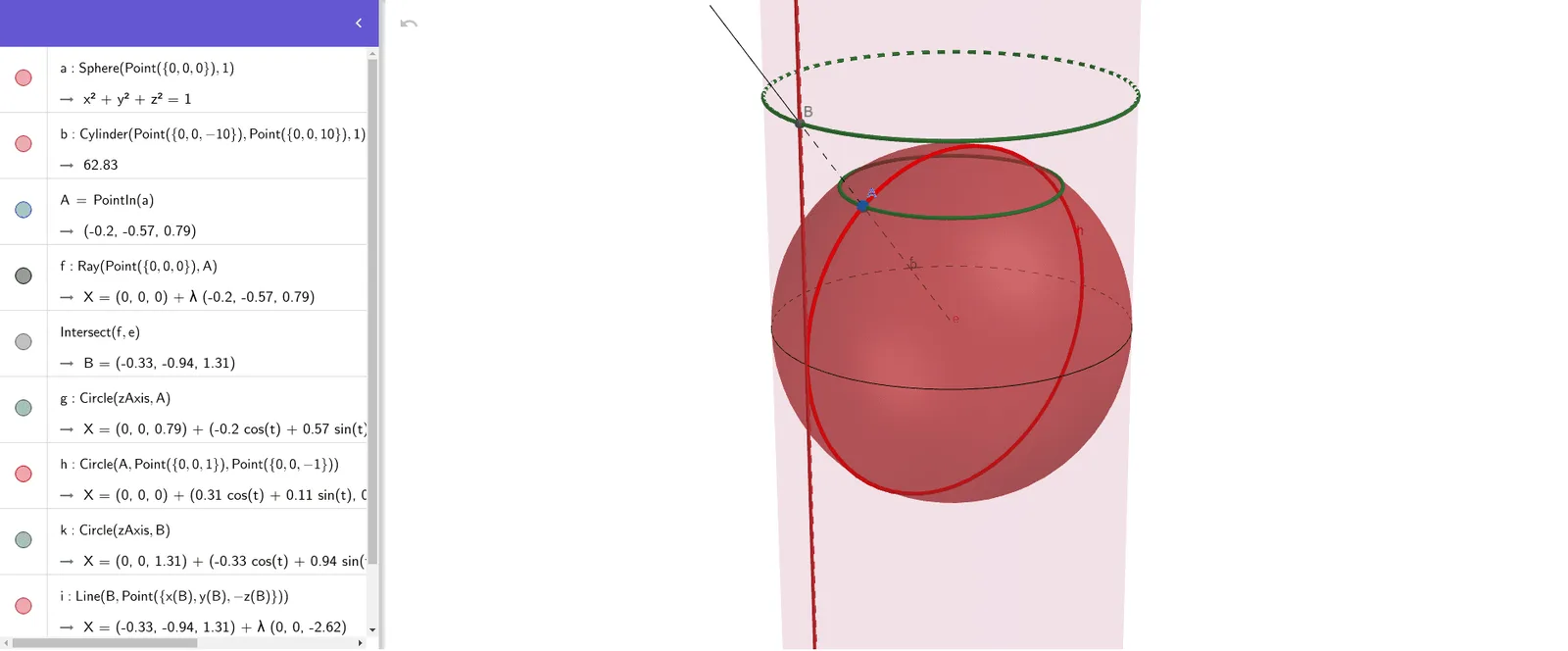
This example demonstrates the principle of central cylindrical projection. It involves key concepts in geometry and coordinate geometry. Using GeoGebra commands such as Sphere, Cylinder, PointIn, Ray, Intersect, Circle, and Line, a model of central cylindrical projection is constructed. Suitable for high school mathematics education and learning.
GeoGebra Commands & Parameters
Sphere(Point[{0, 0, 0}], 1) → aCylinder(Point[{0, 0, -10}], Point[{0, 0, 10}], 1) → b, c, d, ePointIn(a) → ARay(Point[{0, 0, 0}], A) → fIntersect(f, e) → B,Circle(zAxis, A) → gCircle(A, Point[{0, 0, 1}], Point[{0, 0, -1}]) → hCircle(zAxis, B) → kLine(B, Point[{x(B), y(B), (-z(B))}]) → iCircle(Point[{1, 0, 0}], Point[{0, 1, 0}], Point[{-1, 0, 0}]) → p
AI Drawing Prompt Reference
Draw a sphere centered at the origin with radius 1 and a cylinder extending vertically. Extend a ray from the sphere's center downward, intersecting the cylinder's base. Create two circles centered at the sphere's center and the intersection point, one intersecting the cylinder's base and the other on the sphere's surface. Finally, connect the intersection point to another point on the sphere's surface to form a line.
The prompt above was compiled from the original drawing commands and is for reference only.