
Calculate the Reduced Number of Books
Loading the math board and drawing, please wait…
In collections
Prozentrechnung: Vermehrung und Verminderung
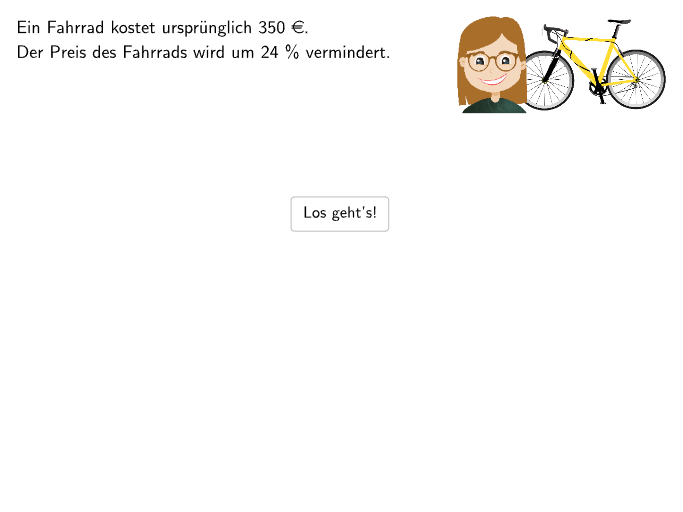
This example demonstrates the concept of percentage reduction by calculating the reduced number of books. Core mathematical concepts include percentage calculation and practical application. GeoGebra commands such as Sequence, Point, and Textfield are used in construction. Suitable for 7-8th grade students for learning and practice.
GeoGebra Commands & Parameters
Sequence(O3 + (m * (length / 150, 0)), m, 0, 150) → listPointsO3AllSmallPoint(Line[O1, yAxis]) → Q1Sequence(O1 + (0, height / 2) + (m * (sizeall / 50, 0)), m, 0, 50) → l1Point(l1) → PTextfield(input1) → Eingabefeld1Textfield(input2) → Eingabefeld2If(input3, A, B) → PchosenCircleArc(Midpoint[A1, A2] + (arrowdepth, 0), A1, A2) → eCircleArc(Midpoint[A3, A4] + ((-arrowdepth), 0), A4, A3) → cCircleArc(Midpoint[B3, B4] + ((-arrowdepth), 0), B4, B3) → dCircleArc(Midpoint[B1, B2] + (arrowdepth, 0), B1, B2) → fTextfield(input5) → Eingabefeld5Textfield(input6) → Eingabefeld6Point(Line[O3, yAxis]) → O4Sequence(O3 + (m * (length / parts, 0)), m, 0, parts) → listPointsO3AllPoint(listPointsO3AllSmall) → P3KeepIf(x(M) ≤ Max[x(listPointsO3All(21)), x(P3)], M, listPointsO3All) → listPointsO3Zip(Segment[M, M - (0, height)], M, listPointsO3) → listLinesO3Sequence(Text["\textsf\small{" + ((10 * m)) + (("%" * "}")), ((m * length / ((0.5 * parts))) + x(O3), y(O3)), true, true, -0, 1], m, 1, (0.5 * parts)) → listTextSequence(Text["\textsf{" + ((35 * m)) + (("€\vphantom{g}" * "}")), ((m * length / ((0.5 * parts))) + x(O4), y(O4) - height - 0.83), true, true, -0, 1], m, 1, (0.5 * parts) + 1) → listTextBSegment(P3, (x(P3), y(O4) - height)) → gKeepIf((10 * IndexOf[M, listText]) + 2 ≤ Max[101, IndexOf[P3, listPointsO3AllSmall]], M, listText) → listTextShowKeepIf((10 * IndexOf[M, listTextB]) + 2 ≤ Max[101, IndexOf[P3, listPointsO3AllSmall]], M, listTextB) → listTextShowBSequence(O4 + (m * (length / parts, 0)), m, 0, parts) → listPointsO4AllKeepIf(x(M) ≤ Max[x(listPointsO3All(21)), x(P3)], M, listPointsO4All) → listPointsO4Zip(Segment[M, M - (0, height)], M, listPointsO4) → listLinesO4Textfield(input0) → Eingabefeld0
AI Drawing Prompt Reference
Create a percentage bar chart showing the reduction of books. Include two parallel horizontal baseline lines with vertical bar lines distributed from left to right representing different categories. The top bars display percentage labels (like 10%, 20%), while the bottom bars show corresponding euro amounts (like €10, €20). Between the two baselines, use diagonal lines forming arrow shapes to indicate the downward trend from original to reduced prices. Add interactive sliders to control the number and height of bars, with a movable reference point on the y-axis to dynamically filter which labels are displayed. Maintain a clean coordinate geometry style throughout.
The prompt above was compiled from the original drawing commands and is for reference only.