
Calculate Arc Lengths and Areas of Circle Sectors
Loading the math board and drawing, please wait…
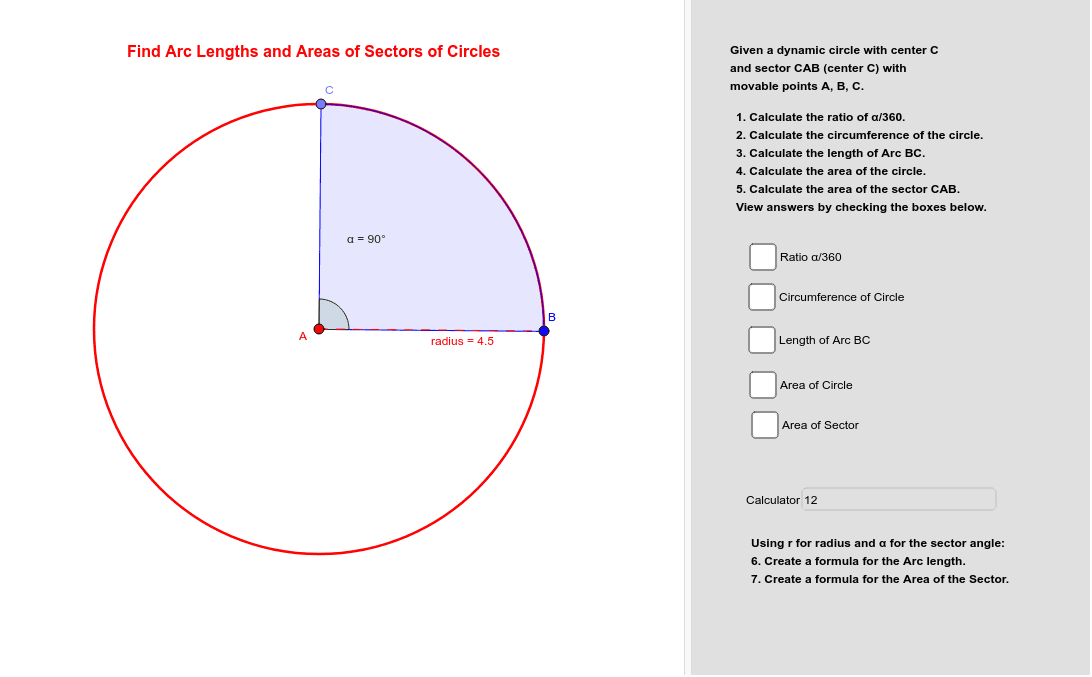
This example demonstrates how to calculate arc lengths and areas of circle sectors using GeoGebra. Key mathematical concepts include circle properties, the relationship between angles and arc lengths, and the formula for sector area. Commands used include Circle, CircleSector, Angle, Area, and more, suitable for middle school and above students learning geometric construction and calculations.
GeoGebra Commands & Parameters
Circle(A, B) → circlePoint(circle) → CCircleSector(A, B, C) → sectorAngle(B, A, C) → αArea(circle) → aPointIn(circle) → PointcArea(sector) → bPointIn(sector) → PointdCircumference(circle) → circumferencecirclePointIn(circle) → PointcircleLength(sector) → cPointIn(sector) → PointsectorSegment(A, B) → radiusText(RatioA) → text3Textfield(calculator) → InputBox1
AI Drawing Prompt Reference
Draw a circle with a center point and another point on the circle to set the radius. Place a third point on the circumference, then construct a sector using the center and these two circumference points. Mark the angle at the center between the two radii and display its measure. Calculate and show the area and circumference of the full circle, as well as the area and arc length of the sector. Put one point inside the circle and one inside the sector as examples. Connect the center to a point on the circle with a segment to represent the radius. Finally, add an input box for entering values to compute.
The prompt above was compiled from the original drawing commands and is for reference only.