
Build Solids of Rotation: Generate Cone-Like Surfaces from Polygons
Loading the math board and drawing, please wait…
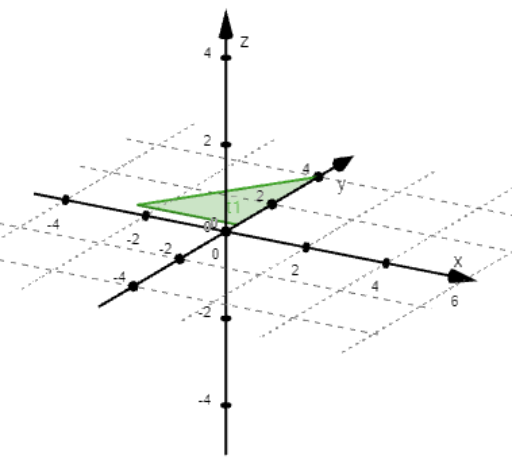
This example demonstrates how to construct and visualize solids of rotation in a dynamic geometry setting by using parameter-controlled points and polygonal profiles to generate rotation surfaces (e.g., cone-like surfaces and related rotational solids). Key mathematical ideas include solids of rotation, geometric construction, and surface generation from a defining cross-section or generating elements with adjustable parameters (such as a parameter t controlling points and shape). Construction highlights (from the provided construction summary) include the use of GeoGebra commands Polygon and Surface, where polygonal objects define the boundary/outline of the generating profile and Surface creates the 3D curved face. The object list indicates multiple defining points (A, B, C and others), parameter/measurement variables, and several text label objects (text1–text4) to annotate geometric relationships. Suitable for secondary school geometry, introductory 3D/solid geometry instruction, and interactive visualization practice.
GeoGebra Commands & Parameters
Polygon(A, B, C) → t1, c, a, bPolygon(D, E, F, G) → q1, d_1, e, f, gPolygon(K, L, M, N, O) → p1, k_1, l, m_1, n_1, o_1Polygon(Corner[1], Corner[2], Corner[3], Corner[4]) → q2, h, j, q, dPolygon(P, Q, R, S, T, U, V, W) → k, p_1, q_1, r_1, s_5, t_1, u, v, wSurface(t1, n°, yAxis) → s_1Surface(k, o°, xAxis) → s_2Surface(q1, m°, xAxis) → s_3Surface(p1, p°, yAxis) → s_4
AI Drawing Prompt Reference
Create a rotating solid formed by multiple polygons to demonstrate how parameter-controlled points generate cone-like surfaces. First, construct several polygons as profiles, then rotate these polygons around coordinate axes to form curved surfaces, resulting in multiple rotational solids, with sliders to adjust parameters for observation.
The prompt above was compiled from the original drawing commands and is for reference only.