
Build a Square Workshop: Geometric Construction with Mirror and Angle Bisectors
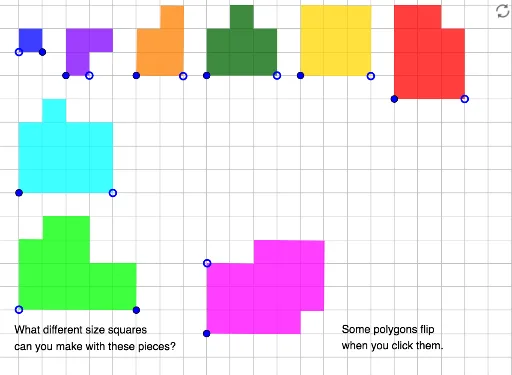
Loading the math board and drawing, please wait…
In collections
Elementary Geometry
This GeoGebra example demonstrates how to construct a square and its associated figures step by step, using mirror reflections and angle bisectors to generate rich symmetric structures. The core mathematical concepts include properties of squares, axial symmetry, angle bisectors, similarity transformations, and coordinate geometry involving points and polygons. Based on the construction summary, the key steps are: using the Point command to create essential points A_1 through D_1, the Polygon command to form the square poly4, the Mirror command to reflect edges or diagonals for symmetric copies, and the LineBisector command to construct angle bisectors. These bisectors generate new points (e.g., E_1 to J_1) and polygons (e.g., poly5), leading to a complex network of sub-objects (a_1 to r_1). This example is suitable for middle and high school students learning geometric construction, transformation, and coordinate geometry, and serves as an excellent classroom demonstration for visualizing the interplay between squares, equilateral triangles, and similarity transformations.
GeoGebra Commands & Parameters
Point(Circle[A_1, 3]) → B_1Polygon(A_1, B_1, C_1, D_1) → q2, a_1, b_1, c_1, d_1Point(Circle[E_1, 3]) → F_1Polygon(E_1, F_1, G_1, H_1, I_1, J_1) → poly4, e_1, f_1, g_1, h_1, i_1, j_1Point(Circle[K_1, 4]) → L_1Polygon(K_1, L_1, M_1, N_1, O_1, P_1, Q_1, R_1) → poly5, k_1, l_1, m_1, n_1, o_1, p_1, q_1, r_1Point(Circle[S_1, 5]) → T_1Polygon(S_1, T_1, U_1, V_1, W_1, Z_1, A_2, B_2) → poly6, s_1, t_1, u_1, v_1, w_1, z_2, a_2, b_2Point(Circle[C_2, 3]) → D_2Polygon(C_2, D_2, E_2, F_2, G_2, H_2, I_2, J_2) → poly7, c_2, d_2, e_2, f_2, g_2, h_2, i_2, j_2Point(Circle[A, 1]) → BPolygon(A, B, C, D) → q1, a, b, c, dPoint(Circle[E, 1]) → FPolygon(E, F, G, H, I, J) → poly1, e, f, g, h, i, jPoint(Circle[K, 2]) → LPolygon(K, L, M, N, O, P) → poly2, k, l, m, n, o, pPoint(Circle[Q, 3]) → RPolygon(Q, R, S, T, U, V, W, Z) → poly3, q, r, s, t, u, v, w, z_1Mirror(E, j) → E'Mirror(G, j) → G'Mirror(H, j) → H'Mirror(I, j) → I'Mirror(J, j) → J'Mirror(K, n) → K'Mirror(L, n) → L'Mirror(M, n) → M'Mirror(N, n) → N'Mirror(O, n) → O'Mirror(P, n) → P'Polygon(K', L', M', N', O', P') → poly2', k', l', m', n', o', p'LineBisector(E_1, F_1) → k_2Mirror(E_1, k_2) → K_2Mirror(F_1, k_2) → L_2Mirror(G_1, k_2) → M_2Mirror(H_1, k_2) → N_2Mirror(I_1, k_2) → O_2Mirror(J_1, k_2) → P_2Polygon(K_2, L_2, M_2, N_2, O_2, P_2) → poly4', k_3, l_2, m_2, n_2, o_2, p_2Mirror(K_1, n_1) → Q_2Mirror(L_1, n_1) → R_2Mirror(M_1, n_1) → S_2Mirror(N_1, n_1) → T_2Mirror(O_1, n_1) → U_2Mirror(P_1, n_1) → V_2Mirror(Q_1, n_1) → W_2Mirror(R_1, n_1) → Z_2Polygon(Q_2, R_2, S_2, T_2, U_2, V_2, W_2, Z_2) → poly5', q_2, r_2, s_2, t_2, u_2, v_2, w_2, z_3LineBisector(S_1, T_1) → f_3Mirror(S_1, f_3) → A_3Mirror(T_1, f_3) → B_3Mirror(U_1, f_3) → C_3Mirror(V_1, f_3) → D_3Mirror(W_1, f_3) → E_3Mirror(Z_1, f_3) → F_3Mirror(A_2, f_3) → G_3Mirror(B_2, f_3) → H_3Polygon(A_3, B_3, C_3, D_3, E_3, F_3, G_3, H_3) → poly6', a_3, b_3, c_3, d_3, e_3, f_4, g_3, h_3LineBisector(C_2, D_2) → i_3Mirror(C_2, i_3) → I_3Mirror(D_2, i_3) → J_3Mirror(E_2, i_3) → K_3Mirror(F_2, i_3) → L_3Mirror(G_2, i_3) → M_3Mirror(H_2, i_3) → N_3Mirror(I_2, i_3) → O_3Mirror(J_2, i_3) → P_3Polygon(I_3, J_3, K_3, L_3, M_3, N_3, O_3, P_3) → poly7', i_4, j_3, k_4, l_3, m_3, n_3, o_3, p_3