
Box Volume Calculation
Loading the math board and drawing, please wait…
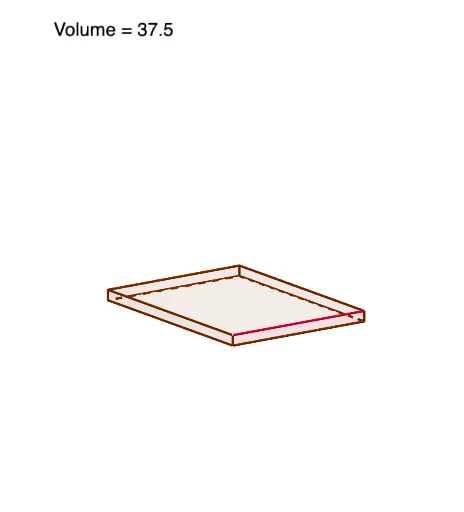
This example demonstrates how to dynamically calculate the volume of a box by adjusting its length L, width W, and height f. It involves core math concepts like volume formulas, linear programming, inequality solving, and parametric optimization. GeoGebra commands and objects used include Polygon, OrthogonalLine, Intersect, and Segment. Suitable for high school and above learners to understand solid geometry, optimization problems, and parametric modeling.
GeoGebra Commands & Parameters
Polygon(pts) → sheetOrthogonalLine(P, xAxis) → gIntersect(g, xAxis) → ASegment(P, A) → hOrthogonalLine(P, yAxis) → iIntersect(i, yAxis) → BSegment(P, B) → jPolygon((a, a, 0), (a, a, a), (W - a, a, a), (W - a, a, 0)) → front, k, l, m, nPolygon((W - a, a, 0), (W - a, a, a), (W - a, L - a, a), (W - a, L - a, 0)) → rightSide, p, q, r, sPolygon((W - a, L - a, 0), (W - a, L - a, a), (a, L - a, a), (a, L - a, 0)) → back, t, b, c, dPolygon((a, L - a, 0), (a, L - a, a), (a, a, a), (a, a, 0)) → leftSide, e, f_1, g_1, h_1Polygon((a, a, 0), (W - a, a, 0), (W - a, L - a, 0), (a, L - a, 0)) → bottom, i_1, j_1, k_1, l_1Segment((a, 0), (W - a, 0)) → m_1
AI Drawing Prompt Reference
Draw a box with adjustable length, width, and height using sliders to demonstrate volume calculation. Start by sketching the base, then extend vertical segments from its corners to define the height. Add the front, back, left, and right faces, ensuring they connect seamlessly to the base and top. Each face should be parallel to the base or top and properly aligned with adjacent faces.
The prompt above was compiled from the original drawing commands and is for reference only.