
Box Volume and Surface Area
Loading the math board and drawing, please wait…
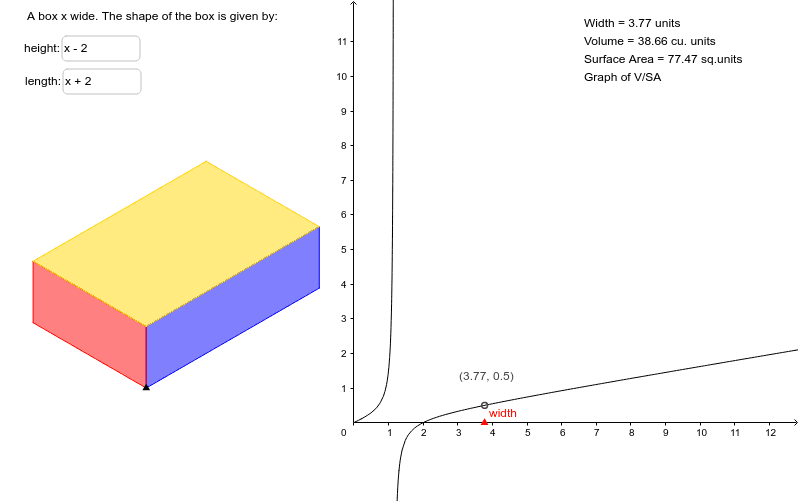
This example demonstrates the calculation and visualization of volume and surface area for a box. It involves core math concepts like volume, surface area, polynomials, rational functions, and ratio analysis. Constructed using GeoGebra commands such as Textfield, Point, Polygon, it allows user input via inputBox1 and inputBox2 for length, width, and height, calculating and displaying parameters like VSA (Volume to Surface Area ratio), A (Surface Area), V (Volume), and SA (Individual Surface Area). Suitable for high school mathematics teaching, focusing on geometric calculations and optimization problems.
GeoGebra Commands & Parameters
Textfield(b) → inputBox1Textfield(c) → inputBox2Point(Ray[(0, 0), (1, 0)]) → APolygon(C, E, G, D) → poly1, c_1, e, g, dPolygon(C, F, H, E) → poly2, c_2, f, h, e_1Polygon(G, E, H, I) → poly3, g_1, e_2, h_1, i