
Billar: Geometric Construction and Transformation
Loading the math board and drawing, please wait…
In collections
geometriadinamica.es
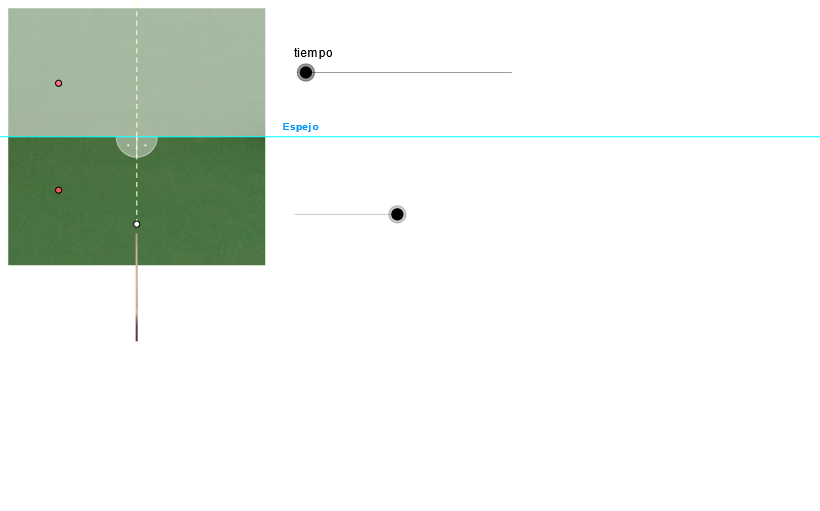
Billar is a geometric construction example that demonstrates how to generate complex figures through transformations and constructions. The key mathematical concepts include rotation, reflection, vectors, and coordinate geometry. The construction involves using GeoGebra commands such as OrthogonalLine, Mirror, Point, and Intersect with objects like tiempo, bola2_x, bola2_y, and D. This example is suitable for middle or high school students learning about geometric transformations and applications in coordinate geometry.
GeoGebra Commands & Parameters
OrthogonalLine(E_2, xAxis) → bOrthogonalLine(E_3, b) → e_1Line(D, e_1) → eMirror(B, e_1) → NOrthogonalLine(B, m) → qPoint(q) → E_4Ray(B, E_4) → gIntersect(g, e) → FIntersect(e_1, g) → LUnitVector(Vector[N, L]) → v_2OrthogonalLine(L, e_1) → kMirror(F, k) → F'UnitVector(Vector[B, L]) → v_1If(y(P_0) > y(E_3), 1, 0) → test_1If(y(P_0) < (2 * y(E_3)) - y(F'), 0, 1) → test_fIntersect(e_1, yAxis) → EMirror(F', e_1) → F''Mirror(B, k) → B'Mirror(B', e_1) → CCircle(B, d) → cIntersect(c, q, 2) → ARay(B, A) → aUnitOrthogonalVector(v) → wMirror(pic1, e_1) → pic7Ray(A, B) → fAngle(B, L, E_3) → βMirror(D, e_1) → D'Segment(P_1, L) → hRay(L, E_4) → g_1Angle(E, L, F') → γ
AI Drawing Prompt Reference
Draw a billiard table with a ball and a hit point. Start by drawing the x-axis and y-axis, then use rotation and reflection to create the boundary lines of the billiard table. Next, draw the path line of the ball and use reflection and rotation to generate the ball's trajectory. Finally, draw the ball's initial position, the hit point, and the direction of the ball's movement.
The prompt above was compiled from the original drawing commands and is for reference only.