
Bearings Practice
Loading the math board and drawing, please wait…
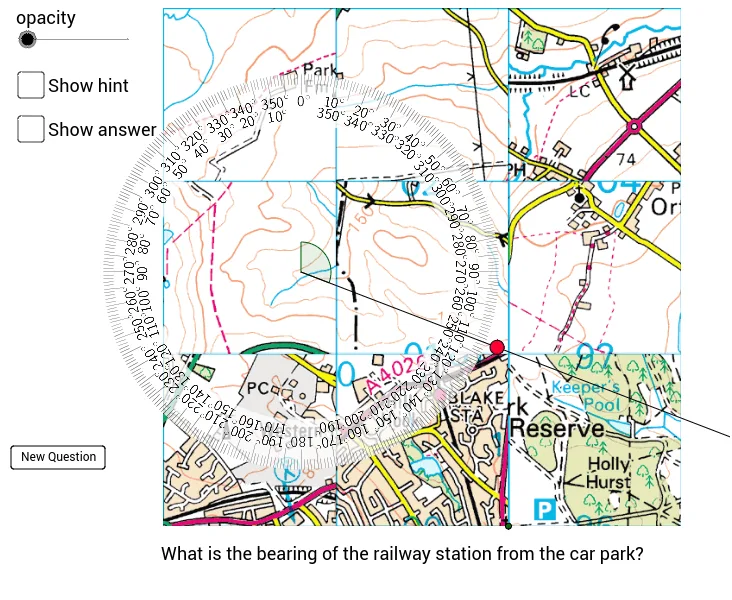
This example demonstrates how students can drag a circular protractor to answer random bearings questions and check their answers, involving core math concepts like angle measurement and bearing calculation. It utilizes GeoGebra commands/objects such as Circle, Point, Ray, Angle, Sequence, Shuffle, Element, Translate, Length for construction, suitable for middle school and above students for geometry learning and practice.
GeoGebra Commands & Parameters
Circle(A, 1.05 * x(-Corner[protractor2, 1] + Corner[protractor2, 2]) / 2) → cPoint(c) → BRay(A, B) → aAngle(B, A, C) → αSequence(Sequence[(i, j), i, 1, 3], j, 1, 3) → list1Shuffle(Join[list1]) → list2Element(list2, 1) → P1Element(list2, 2) → P2Element(list2, 3) → P3Element(list2, 4) → P4Element(list2, 5) → P5Element(list2, 6) → P6Element(list2, 7) → P7Element(list2, 8) → P8Element(list2, 9) → P9Translate(P1, Vector[(0.6894012237733165, 0.585122047068108)]) → windmillTranslate(P1, Vector[(0.49242944555236856, 0.6256750602312446)]) → telephoneTranslate(P2, Vector[(0.6025019098523097, 0.7647139625048547)]) → stationTranslate(P4, Vector[(0.37077040606295997, 0.5271891711207708)]) → mastTranslate(P5, Vector[(0.41132341922609594, 0.8979595771837308)]) → church_spireTranslate(P6, Vector[(0.2143516410051487, 0.09269260151573988)]) → carparkLength(points) → nShuffle(Sequence[n]) → list3Element(list3, 1) → n1Element(list3, 2) → n2Element(points, n1) → A1Element(points, n2) → A2Angle(A2, A1, A1 + (0, 1)) → βAngle(A2, A1, A1 + (0, 1)) → γ
AI Drawing Prompt Reference
Draw a circular protractor with a draggable center point. Randomly generate multiple points and extend rays from these points to form various angles. Measure and display the size of each angle, distinguishing them with different colors or markings. Connect the randomly generated points with rays to create several geometric shapes like a windmill, telephone pole, station, mast, church spire, and car park, demonstrating angle and bearing measurement and calculation.
The prompt above was compiled from the original drawing commands and is for reference only.