
Basic Matrix Transformations
Loading the math board and drawing, please wait…
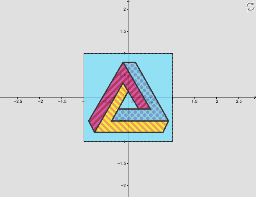
This example demonstrates basic geometric transformations using a 2x2 matrix. It involves core math concepts like reflection, rotation, shearing, and scaling. Construction highlights include using GeoGebra commands and objects such as Element, SelectedIndex, Intersect, Circle, OrthogonalLine, Polygon, Point, Vector, Determinant, ApplyMatrix, Flatten, and Textfield. Suitable for high school and above, for understanding matrix transformations in plane geometry applications.
GeoGebra Commands & Parameters
Element(Reflections, (2 * indexreflection) - 1) → reflectiony1Element(Reflections, (2 * indexreflection)) → reflectiony2SelectedIndex(Listnames) → IndexnamesIntersect(xAxis, yAxis) → ACircle(A, 1) → unitcircleIntersect(unitcircle, xAxis, 1) → BOrthogonalLine(B, xAxis) → fIntersect(unitcircle, yAxis, 2) → COrthogonalLine(C, yAxis) → gIntersect(unitcircle, yAxis, 1) → DIntersect(unitcircle, xAxis, 2) → EOrthogonalLine(E, xAxis) → hOrthogonalLine(D, f) → iIntersect(f, g) → FIntersect(g, h) → GIntersect(h, i) → HIntersect(f, i) → IPolygon(I, H, G, F) → poly1, i_1, h_1, g_1, f_1Point(poly1) → PElement(ListMatrix, Indexnames) → TVector((0, 0), P') → uVector(TP) → TuDeterminant(T) → detApplyMatrix(Tanimated, I) → I'ApplyMatrix(Tanimated, H) → H'ApplyMatrix(Tanimated, G) → G'ApplyMatrix(Tanimated, F) → F'Polygon(I', H', G', F') → poly1', i'_1, h'_1, g'_1, f'_1ApplyMatrix(Tanimated, pic1) → pic1'ApplyMatrix(T, pic1) → pic1'_1Element(ListMatrixtext, Indexnames) → TtextFlatten(T) → list1ApplyMatrix(T, I) → I'_1ApplyMatrix(T, H) → H'_1ApplyMatrix(T, G) → G'_1ApplyMatrix(T, F) → F'_1Polygon(I'_1, H'_1, G'_1, F'_1) → poly1'_1, i'_2, h'_2, g'_2, f'_2Element(list1, 1) → aElement(list1, 2) → bElement(list1, 3) → cElement(list1, 4) → dTextfield(scaling) → InputBox1Textfield(k) → InputBox2Textfield(θ) → InputBox3Textfield(m) → InputBox4