
Basic Formulas
Loading the math board and drawing, please wait…
In collections
INTEGRAL CALCULUS
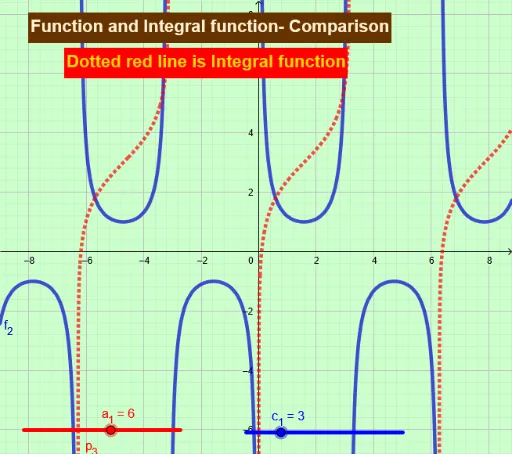
This example demonstrates basic mathematical formulas, involving core concepts of trigonometry, vectors, and coordinate geometry. Using GeoGebra commands such as Point and Textfield, complex geometric shapes can be constructed. Suitable for high school mathematics education and learning.
GeoGebra Commands & Parameters
Point(xAxis) → DPoint(xAxis) → EPoint(xAxis) → FTextfield(a_1) → InputBox1Textfield(c_1) → InputBox2
AI Drawing Prompt Reference
On a coordinate plane, place three movable points along the horizontal axis, labeled as the first, second, and third points. Next to the figure, add two input fields: one for entering an angle value and another for a side length. These fields are linked to the points on the axis to illustrate basic formulas in trigonometry, vectors, and coordinate geometry. The layout is clean and suitable for educational demonstration, allowing users to adjust point positions and input values to observe formula changes.
The prompt above was compiled from the original drawing commands and is for reference only.