
Axial Symmetry Construction with GeoGebra Mirror Command
Loading the math board and drawing, please wait…
In collections
geometriadinamica.es
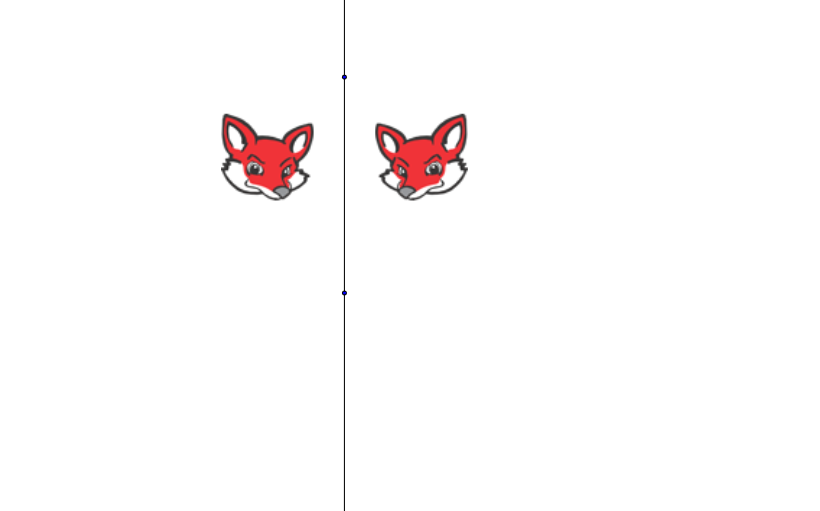
This GeoGebra example demonstrates how to construct an axially symmetric figure using the Mirror command. Users can draw a line as the axis of symmetry, then reflect point A across the line to obtain its symmetric point A', visually showing that in axial symmetry, corresponding points are equidistant from the axis and the line connecting them is perpendicular to the axis. Construction steps: use the Line command to create the symmetry axis, use the Mirror command to reflect points, observe the relationship between the original point and its image. Ideal for middle school geometry teaching on symmetry, suitable for exploring symmetry properties, verifying coordinate patterns, and serves as a foundation for learning other geometric transformations.
GeoGebra Commands & Parameters
Line(A, B) → aMirror(pic1, a) → pic2
AI Drawing Prompt Reference
Draw a line as the axis of symmetry, then select a point A on the line and use the mirror command to reflect point A across the line to get point A'. Observe the relationship between point A and point A', ensuring they are equidistant from the line and the line connecting them is perpendicular to the axis of symmetry.
The prompt above was compiled from the original drawing commands and is for reference only.