
Auxiliary Bars and Linkages
Loading the math board and drawing, please wait…
In collections
Linkages
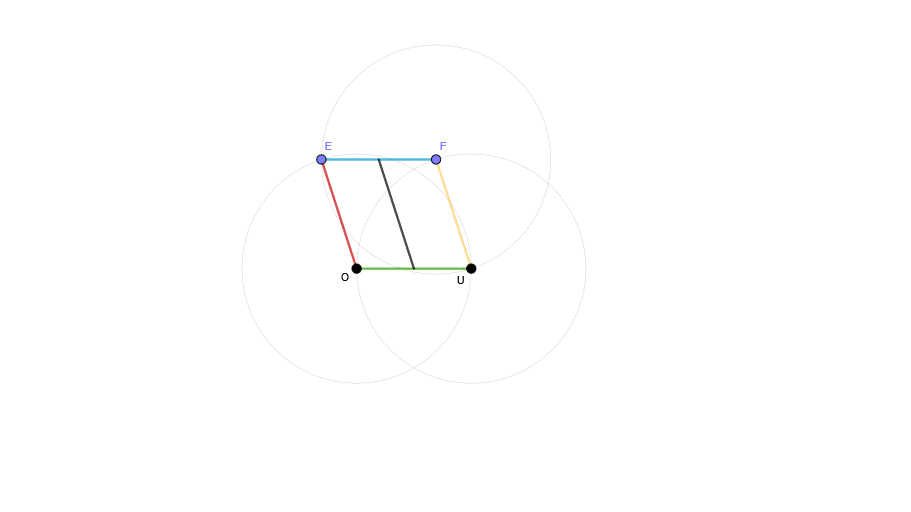
This example demonstrates the geometric construction of linkages using auxiliary bars. It involves core math concepts like geometric constructions, properties of circles and segments, and vector operations. Constructed with GeoGebra commands Circle and Segment to create objects O, U, c2, F, b1, c3, E, b3d, c1, b2, b4a, g. Suitable for high school students and above studying geometric transformations, vectors, and linkage design.
GeoGebra Commands & Parameters
Circle(U, 1) → c2Segment(O, U) → b1Circle(F, 1) → c3Segment(F, E) → b3dCircle(O, 1) → c1Segment(O, E) → b2Segment(U, F) → b4aSegment((O + U) / 2, (E + F) / 2) → g
AI Drawing Prompt Reference
Draw a geometric construction with two circles connected by a line segment, add line segments connecting the centers of the circles and a point on one circle to a point on the other, and another line segment connecting the midpoint of the first segment to the midpoint of the second segment to demonstrate the linkage design.
The prompt above was compiled from the original drawing commands and is for reference only.