
Array Maker
Loading the math board and drawing, please wait…
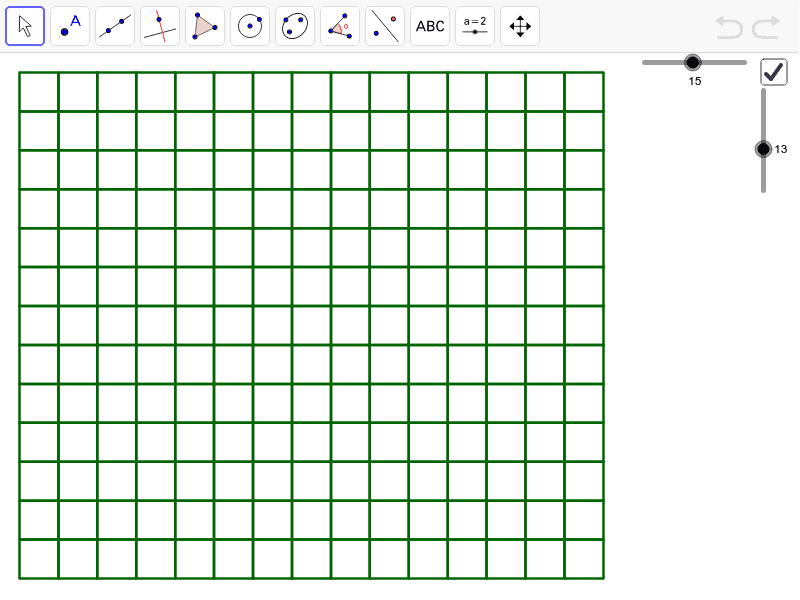
This example demonstrates how to create a general-purpose array generator in GeoGebra for image export in games. It involves core math concepts like sequences, conditional statements, vectors, and geometric transformations. Construction highlights include using the Sequence and If commands with objects like w, h, aspect, array, list1, xmax, ymax, a, n, b. Suitable for high school students and math enthusiasts working with graphical generation.
GeoGebra Commands & Parameters
Sequence(Sequence[Translate[Polygon[(0, 0), (1, 0), 4], (0, i) + (j, 0)], i, 0, h - 1], j, 0, w - 1) → list1If(array ≥ aspect, w + 0.5, (aspect * (h + 1)) - 0.5) → xmaxIf(array ≥ aspect, (w + 1) / aspect - 0.5, h + 0.5) → ymax
AI Drawing Prompt Reference
Create an array of rectangles with each rectangle's size and position determined by variables w and h. Use the Translate command to horizontally shift the rectangles and the Sequence command to generate multiple rows. Adjust the array's width and height based on the aspect ratio to ensure the desired proportions.
The prompt above was compiled from the original drawing commands and is for reference only.