
Arithmetic Practice: Random Addition, Subtraction, Multiplication, Division
Loading the math board and drawing, please wait…
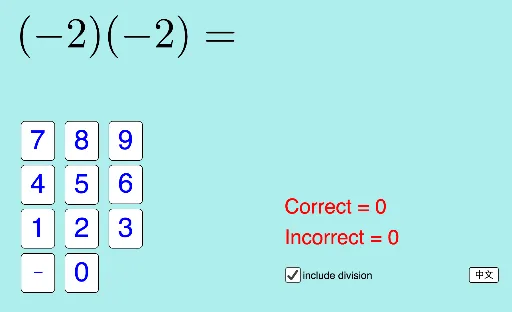
① This interactive GeoGebra example demonstrates a random quiz generator for the four basic arithmetic operations: addition, subtraction, multiplication, and division, with immediate feedback on user answers. ② Core math concepts include integer arithmetic, random number generation, conditional logic for answer checking, and basic score tracking (correct/wrong counts). ③ Construction highlights: uses GeoGebra commands Random and RandomElement to generate random operands and operators, If to evaluate correctness, and a set of buttons (button1-9, buttonNeg, etc.) to build a numeric keypad, along with inputAns for user input, textAns and textMarks for displaying problems and scores, and language toggle buttons (buttonENG, buttonLang) for multilingual support. ④ Suitable for elementary and middle school students to practice arithmetic, as well as for teachers to use in classroom activities or for self-paced learning, enhancing calculation fluency through instant feedback.
GeoGebra Commands & Parameters
If(division, Random[1, 4], Random[1, 3]) → qtypeRandomElement({"+", "-"}) → signBRandom(1, MaxNum) → bIf(signB ≟ "+", b, (-b)) → b'Random(1, MaxNum) → aRandomElement({"+", "-"}) → signAIf(signA ≟ "+", a, (-a)) → a'If(qtype ≟ 1 ∨ qtype ≟ 2, (a' * b'), qtype ≟ 3, a' + b', qtype ≟ 4, b') → answerRandomElement({text4a, text4b}) → text4If(qtype ≟ 1, text1, qtype ≟ 2, text2, qtype ≟ 3, text3, qtype ≟ 4, text4) → textQ
AI Drawing Prompt Reference
Create a random arithmetic practice question with four basic operations: addition, subtraction, multiplication, and division. First, generate a random number for the question type, then generate the corresponding operator and operands based on the type. Use buttons for inputting answers, and display the question and score. Set a language switch button to support English and Chinese.
The prompt above was compiled from the original drawing commands and is for reference only.