
Arithmetic Calculation Game (Working Backwards)
Loading the math board and drawing, please wait…
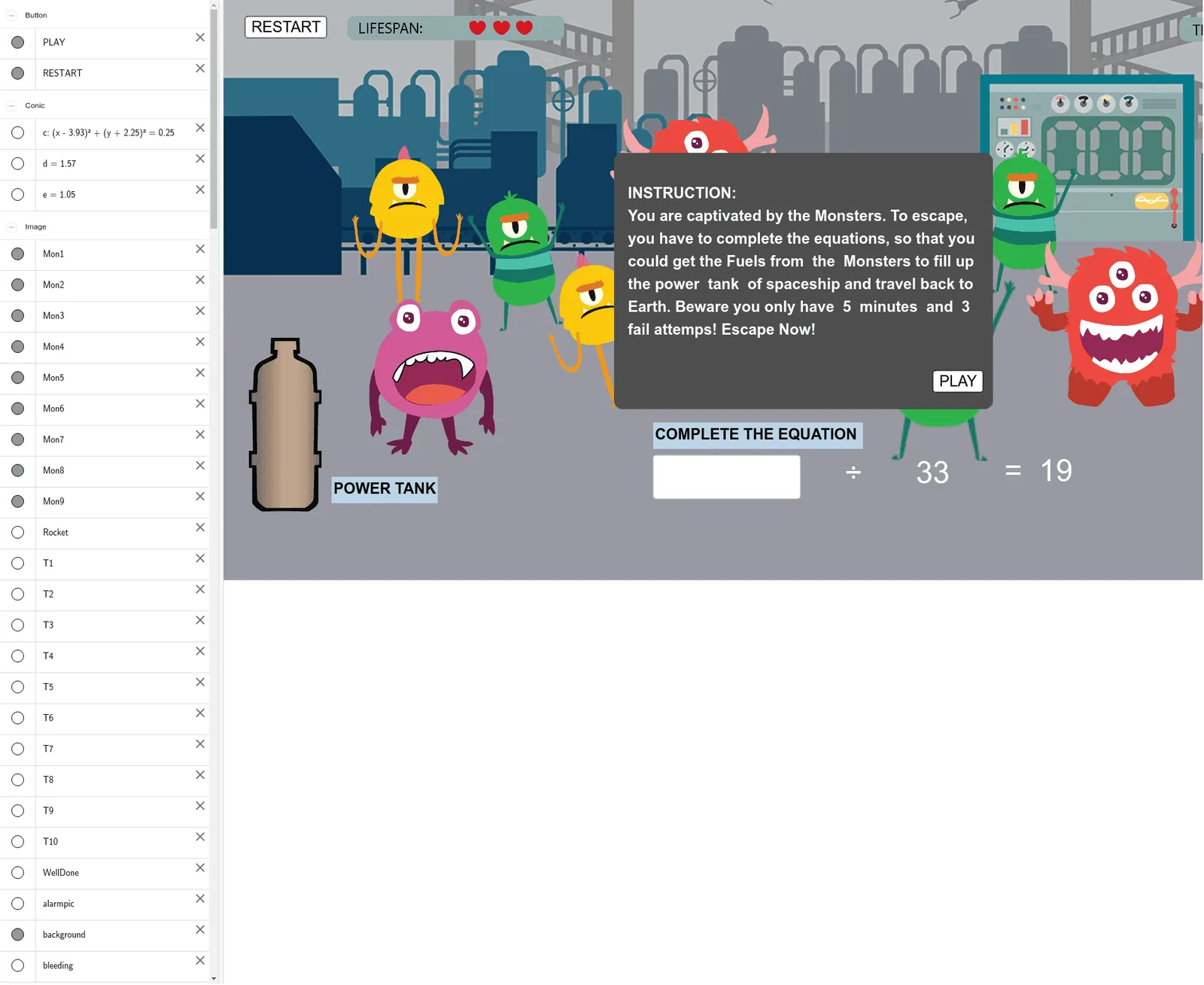
This example demonstrates an arithmetic calculation game where users perform reverse operations for mathematical calculations. Core math concepts include addition, subtraction, trigonometry, unit circle, ellipse, integers, and rational numbers. It leverages GeoGebra commands like Random, Shuffle, Element, If, AttachCopyToView, and objects such as time, N2, SignList, etc. Suitable for middle school and above students to learn arithmetic operations and geometric constructions.
GeoGebra Commands & Parameters
Random(1, 50) → N2Shuffle({"+", "-", "x", "÷"}) → SignList, {"x", "÷", "-", "+"}Element(SignList, If[Mod[N2, 4] ≟ 0, 4, Mod[N2, 4]]) → SIf(S ≟ "+", Random[1, 99], S ≟ "-", N2 + Random[1, 99], S ≟ "x", Random[1, 20], S ≟ "÷", (N2 * Random[1, 20])) → N1If(S ≟ "+", N1 + N2, S ≟ "-", N1 - N2, S ≟ "x", (N1 * N2), S ≟ "÷", N1 / N2) → OUTPUT_ANSAttachCopyToView(PolyLine[(-1.5001E1,-2.2558E-1), (-1.4950E1,-2.9240E-1), (-1.4884E1,-3.9263E-1), (-1.4800E1,-4.7614E-1), (-1.4733E1,-5.5967E-1), (-1.4650E1,-6.2648E-1), (-1.4533E1,-6.9330E-1), (-1.4433E1,-7.4341E-1), (-1.4366E1,-7.6012E-1), (-1.4299E1,-7.7682E-1), (-1.3230E1,-8.4364E-1), (-1.3097E1,-8.4364E-1), (-1.3030E1,-8.4364E-1), (-1.2930E1,-8.1023E-1), (-1.2846E1,-7.7682E-1), (-1.2746E1,-7.4341E-1), (-1.2646E1,-7.2671E-1), (-1.2595E1,-7.1000E-1), (-1.2245E1,-4.9285E-1), (-1.2178E1,-4.4274E-1), (-1.2094E1,-3.7592E-1), (-1.2027E1,-3.5922E-1), (-1.1961E1,-3.0910E-1), (-1.1877E1,-2.7570E-1), (-1.1827E1,-2.4229E-1), (-1.1777E1,-2.0888E-1), (-1.1710E1,-1.4206E-1), (-1.1660E1,-1.2536E-1), (-1.1610E1,-9.1950E-2), (-1.1543E1,-7.5240E-2), (-1.1493E1,-4.1828E-2), (-1.1443E1,-2.5128E-2), (-1.1393E1,-8.4281E-3), (-1.0591E1,-8.4281E-3), (-1.0441E1,-8.4281E-3), (-1.0324E1,-8.4281E-3), (-1.0257E1,-2.5128E-2), (-1.0173E1,-4.1828E-2), (-1.0123E1,-5.8540E-2), (-1.0006E1,-5.8540E-2), (-9.7224E0,-1.2536E-1), (-9.6724E0,-1.4206E-1), (-9.6224E0,-1.5876E-1), (-9.2714E0,-3.0910E-1), (-9.1214E0,-3.7592E-1), (-9.0714E0,-4.0933E-1), (-9.0044E0,-4.4274E-1), (-8.9209E0,-5.0955E-1), (-8.8206E0,-5.9307E-1), (-8.7538E0,-6.4319E-1), (-8.6035E0,-7.6012E-1), (-8.5534E0,-8.1023E-1), (-8.5032E0,-8.4364E-1), (-8.4531E0,-8.6034E-1), (-8.1692E0,-8.4364E-1), (-7.8685E0,-8.2693E-1), (-7.7181E0,-8.2693E-1), (-7.5845E0,-7.9353E-1), (-7.4676E0,-7.9353E-1), (-7.4008E0,-7.7682E-1), (-7.2671E0,-6.7660E-1), (-7.1502E0,-5.9307E-1), (-7.0166E0,-4.7614E-1), (-6.8829E0,-3.9263E-1), (-6.6825E0,-2.5899E-1), (-6.5823E0,-2.0888E-1), (-6.5321E0,-1.5876E-1), (-6.4653E0,-1.2536E-1), (-6.3818E0,-4.1828E-2), (-6.2983E0,2.4982E-2), (-6.2148E0,7.5102E-2), (-6.1312E0,1.2521E-1), (-6.0644E0,1.5862E-1), (-5.9642E0,2.0873E-1), (-5.8807E0,2.4214E-1), (-5.7805E0,2.5884E-1), (-5.7136E0,2.9225E-1), (-5.6134E0,3.0895E-1), (-5.5132E0,3.4236E-1), (-5.4130E0,3.5907E-1), (-5.3294E0,3.9248E-1), (-5.2794E0,4.0918E-1), (-5.1624E0,4.2588E-1), (-5.0956E0,4.4259E-1), (-5.0288E0,4.4259E-1), (-4.9620E0,4.4259E-1), (-4.8117E0,4.0918E-1), (-4.4275E0,2.9225E-1), (-4.3105E0,2.5884E-1), (-4.2604E0,2.2543E-1), (-4.1769E0,1.9202E-1), (-4.1268E0,1.4191E-1), (-4.0767E0,1.0850E-1), (-3.9931E0,4.1692E-2), (-3.9096E0,-2.5128E-2), (-3.8094E0,-7.5240E-2), (-3.7426E0,-1.2536E-1), (-3.5922E0,-2.0888E-1), (-3.4753E0,-2.7570E-1), (-3.4252E0,-3.2581E-1), (-3.3751E0,-3.5922E-1), (-3.2247E0,-4.5944E-1), (-3.1245E0,-5.2626E-1), (-3.0577E0,-5.5967E-1), (-2.9908E0,-5.9307E-1), (-2.8739E0,-6.4319E-1), (-2.8071E0,-6.5989E-1), (-2.6902E0,-6.5989E-1), (-2.5398E0,-6.5989E-1), (-2.4730E0,-6.2648E-1), (-2.4229E0,-6.0978E-1), (-2.3394E0,-5.7637E-1), (-2.1556E0,-4.7614E-1), (-2.1055E0,-4.4274E-1), (-2.0554E0,-3.9263E-1), (-1.9886E0,-3.4251E-1), (-1.9218E0,-2.4229E-1), (-1.8383E0,-1.5876E-1), (�,�), true], 1, (-16.620056299068303, -4.893231892963444), (8.07566286719228, 10.191913475247512), (0, 879), (1439, 0)) → stroke1Textfield(INPUT) → inputBoxSegment(A_0, A_3) → gPoint(g) → A_2Segment(B_1, B_2) → hPoint(h) → B_3Segment(C_1, C_2) → fPoint(f) → C_3Circle(D_1, 0.5) → cPoint(c) → D_2Segment(E_1, E_0) → iPoint(i) → E_2Semicircle(F_0, F_1) → dPoint(d) → F_3Segment(G_0, G_1) → jPoint(j) → G_3Segment(H_0, H_1) → kPoint(k) → H_3Semicircle(J_1, J_0) → ePoint(e) → J_3Segment(K_0, K_1) → lPoint(l) → K_2Div(time, 60) → minuteMod(time, 60) → second
AI Drawing Prompt Reference
Draw a shape containing a circle, ellipse, semicircles, and segments. Start by drawing a circle, then an ellipse, followed by two semicircles, and finally some segments to connect these shapes. The shape includes an input box for entering answers and a timer showing minutes and seconds.
The prompt above was compiled from the original drawing commands and is for reference only.