
Area Unit Conversions
Loading the math board and drawing, please wait…
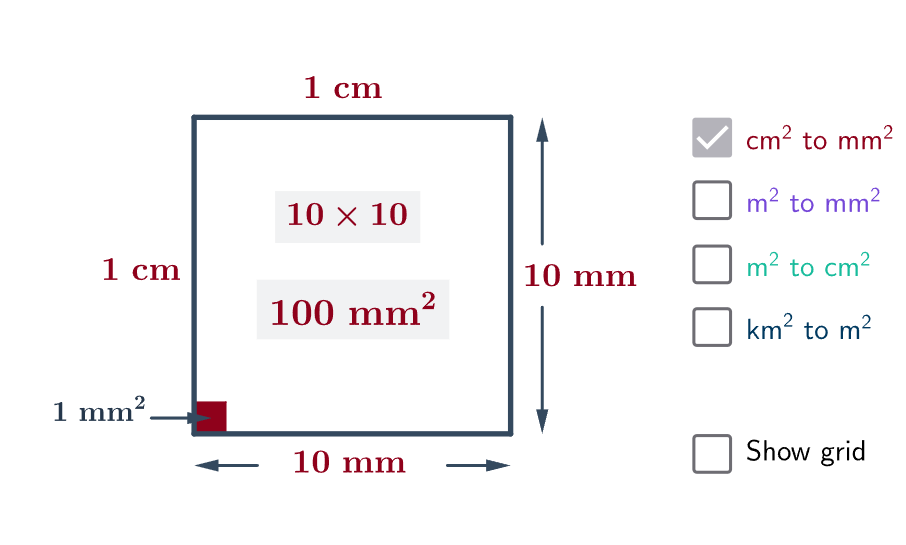
This example demonstrates the conversion between different area units (e.g., square meters, square centimeters) with visualizations. Key math concepts include unit conversion, area calculation of geometric shapes, and proportional relationships. GeoGebra commands like Segment, Vector, Point, Intersect, Polygon are used to construct shapes, with objects a, b, c, d representing different units. Suitable for middle school students and above learning geometric area calculations and unit conversions, as well as for mathematical teaching demonstrations.
GeoGebra Commands & Parameters
Segment(A, B) → aSegment(B, C) → bSegment(C, D) → cSegment(D, A) → dVector(G, E) → uVector(H, F) → vVector(J, K) → wVector(I, L) → zSegment(O, M) → eSegment(O_1, M_1) → e_1Segment(O_2, M_2) → e_2Segment(O_3, M_3) → e_3Segment(O_4, M_4) → e_4Segment(O_5, M_5) → e_5Segment(O_6, M_6) → e_6Segment(O_7, M_7) → e_7Segment(O_8, M_8) → e_8Point(b) → PSegment(N, P) → fSegment(B_1, C_1) → b_1Point(b_1) → P_1Segment(N_1, P_1) → f_1Segment(B_3, C_3) → b_3Point(b_3) → P_3Segment(N_3, P_3) → f_3Segment(B_4, C_4) → b_4Point(b_4) → P_4Segment(N_4, P_4) → f_4Segment(B_5, C_5) → b_5Point(b_5) → P_5Segment(N_5, P_5) → f_5Segment(B_6, C_6) → b_6Point(b_6) → P_6Segment(N_6, P_6) → f_6Segment(B_7, C_7) → b_7Point(b_7) → P_7Segment(N_7, P_7) → f_7Segment(B_8, C_8) → b_8Point(b_8) → P_8Segment(N_8, P_8) → f_8Segment(B_2, C_9) → b_2Point(b_2) → P_2Segment(N_9, P_2) → f_2Intersect(c, d) → QIntersect(d, f) → RIntersect(e, f) → SIntersect(c, e) → TPolygon(Q, R, S, T) → poly1, q, r, s, tVector(U, V) → gIntersect(c, d) → ZPolygon(Z, X, W, Y) → poly2, z_1, A_1, w_1, D_1
AI Drawing Prompt Reference
Draw a quadrilateral using four line segments, then add two line segments from an external point connecting to two adjacent sides of the quadrilateral, label the intersection points, and finally form a quadrilateral using these points to demonstrate the conversion between different area units.
The prompt above was compiled from the original drawing commands and is for reference only.