
Area Under the Curve by Miriam Puente Jiménez
Loading the math board and drawing, please wait…
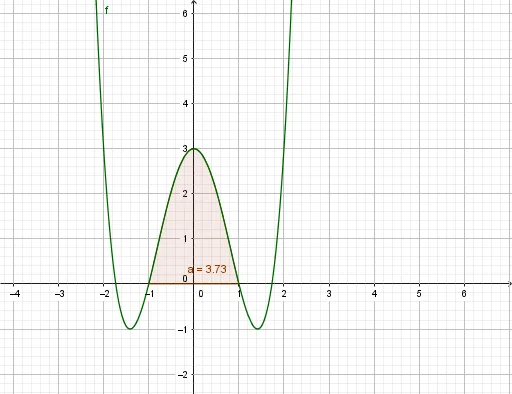
This example demonstrates how to calculate the area under a curve using GeoGebra. The key mathematical concept involved is integration. By using the Integral command, the area under the function f from a_1 to a can be calculated. Suitable for high school and above students learning calculus.
GeoGebra Commands & Parameters
Integral(f, 1, 1) → a_1Integral(f, -1, 1) → a
AI Drawing Prompt Reference
Draw a function f(x) and calculate the area under the curve from x=-1 to x=1. First, draw the function f(x), then compute and display the area under the curve in this interval.
The prompt above was compiled from the original drawing commands and is for reference only.