
Area Rectangle 2 - Dynamic Exploration
Loading the math board and drawing, please wait…
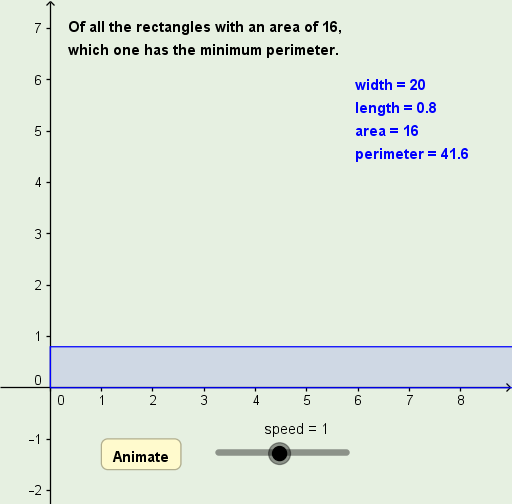
This GeoGebra example demonstrates the area of a rectangle through an interactive dynamic model, showing how the product of length and width determines the area. Core math concepts include the rectangle area formula, variable manipulation, and real-time feedback when parameters change. Construction highlights: the Polygon command creates rectangle ABCD, with length l and width w as adjustable sliders; text objects (text1, text2, etc.) display side lengths and area values; a speed slider and button1 control animation or reset actions, while point P may be draggable to alter dimensions. Suitable for upper elementary to middle school students learning geometric area, and useful for classroom demonstrations or self-guided exploration to grasp how changing dimensions affects the computed area.
GeoGebra Commands & Parameters
Polygon({A, B, C, D}) → rect
AI Drawing Prompt Reference
Draw a dynamic rectangle with four vertices connected in order. Its length and width are controlled by two adjustable sliders, and when the slider values change, the side lengths and area update in real time. Display text labels near or inside the rectangle showing the current length, width, and area. Add a speed slider and a button to control animation or reset the figure. Include a draggable point that can also change the rectangle's dimensions. The design aims to visually demonstrate that the area equals length times width, suitable for classroom teaching.
The prompt above was compiled from the original drawing commands and is for reference only.