
Area/Perimeter Challenge: Exploring Polygon Area and Perimeter Relationships
Loading the math board and drawing, please wait…
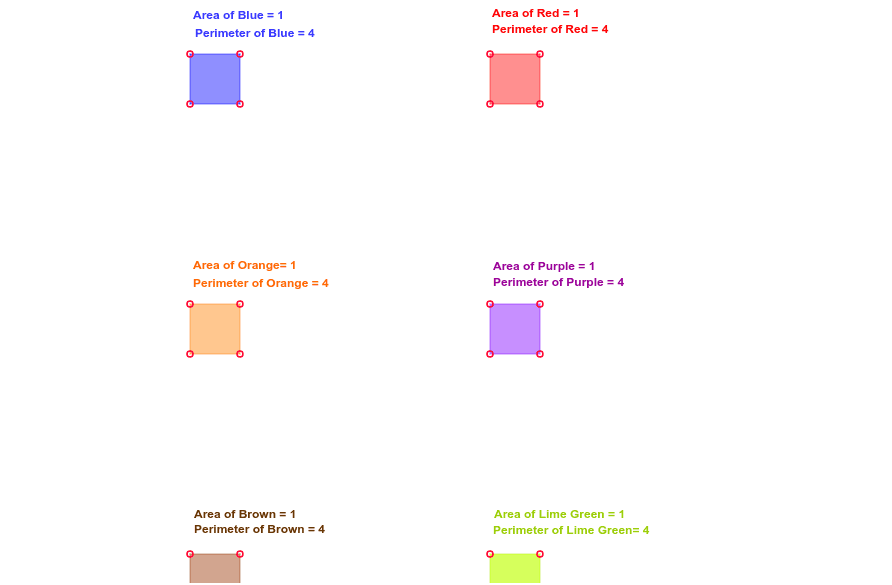
This GeoGebra example demonstrates how to compute the area and perimeter of a polygon and explore the relationship between them through an interactive graphic. The core mathematical concepts include polygon area formulas, perimeter calculations, real number operations, and means. The construction uses the Polygon command to create a quadrilateral poly1 and the Perimeter object to display its perimeter dynamically, allowing users to drag vertices A, B, C, D to adjust the shape. It is suitable for middle and high school mathematics teachers and students to teach geometric properties and area/perimeter calculations, enhancing spatial reasoning and computational skills.
GeoGebra Commands & Parameters
Polygon(A, B, C, D) → poly1, a, b, c, dPolygon(A_1, B_1, C_1, D_1) → poly1_1, a_1, b_1, c_1, d_1Perimeter(poly1) → perimeterpoly1Perimeter(poly1_1) → perimeterpoly11Polygon(A_2, B_2, C_2, D_2) → poly1_2, a_2, b_2, c_2, d_2Perimeter(poly1_2) → perimeterpoly1_1Polygon(A_3, B_3, C_3, D_3) → poly1_3, a_3, b_3, c_3, d_3Perimeter(poly1_3) → perimeterpoly11_1Perimeter(poly1_2) → perimeterpoly12Perimeter(poly1_3) → perimeterpoly13Polygon(A_4, B_4, C_4, D_4) → poly1_4, a_4, b_4, c_4, d_4Perimeter(poly1_4) → perimeterpoly1_2Perimeter(poly1_4) → perimeterpoly12_1Polygon(A_5, B_5, C_5, D_5) → poly1_5, a_5, b_5, c_5, d_5Perimeter(poly1_5) → perimeterpoly1_3Perimeter(poly1_5) → perimeterpoly12_2Perimeter(poly1_4) → perimeterpoly14Perimeter(poly1_5) → perimeterpoly15
AI Drawing Prompt Reference
Draw an interactive graphic showing the relationship between the area and perimeter of polygons. Create a quadrilateral and display its perimeter. Adjust the shape by dragging vertices, and show multiple similar but differently sized quadrilaterals with their perimeters for comparison.
The prompt above was compiled from the original drawing commands and is for reference only.