
Area of Triangle
Loading the math board and drawing, please wait…
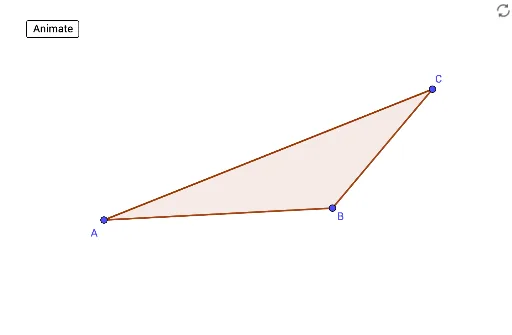
This example demonstrates how to calculate the area of a triangle using geometric construction. Key mathematical concepts include triangles, coordinate geometry, and functions. Using GeoGebra commands such as Line, Intersect, and Polygon, a triangle is constructed and its area is calculated. Suitable for students in middle school and above learning geometry and functions.
GeoGebra Commands & Parameters
Line(A, B) → fLine(C, f) → gOrthogonalLine(A, f) → hOrthogonalLine(B, f) → iIntersect(g, h) → DIntersect(g, i) → EPolygon(A, B, C) → t1, c, a, bOrthogonalLine(C, f) → jIntersect(f, j) → FPolygon(A, F, C) → t2, c_1, a_1, f_1Polygon(B, F, C) → t3, c_2, b_1, f_2Midpoint(f_1) → GMidpoint(f_2) → HRotate(A, ((d * 180))°, G) → A'Rotate(F, ((d * 180))°, G) → F'Rotate(C, ((d * 180))°, G) → C'Polygon(A', F', C') → t2', c', a', f'Rotate(B, (-(((d * 180))°)), H) → B'Rotate(F, (-(((d * 180))°)), H) → F'_1Rotate(C, (-(((d * 180))°)), H) → C'_1Polygon(B', F'_1, C'_1) → t3', c'_1, b', f'_1Line(C, B) → kLine(A, k) → lOrthogonalLine(A, k) → mIntersect(k, m) → IPolygon(A, I, C) → t4, c_3, a_2, i_1Polygon(A, I, B) → t5, b_2, a_3, i_2Midpoint(i_2) → JRotate(A, ((d * 180))°, J) → A'_1Rotate(I, ((d * 180))°, J) → I'Rotate(B, ((d * 180))°, J) → B'_1Polygon(A'_1, I', B'_1) → t5', b'_1, a'_1, i'Rotate(A, (-(((d * 180))°)), G) → A'_2Rotate(I, (-(((d * 180))°)), G) → I'_1Rotate(C, (-(((d * 180))°)), G) → C'_2Polygon(A'_2, I'_1, C'_2) → t4', c'_2, a'_2, i'_1Line(A, C) → nLine(B, n) → pOrthogonalLine(B, n) → qIntersect(n, q) → KPolygon(B, K, A) → t6, a_4, b_3, k_1Polygon(B, K, C) → t7, c_4, b_4, k_2Rotate(B, ((d * 180))°, H) → B'_2Rotate(K, ((d * 180))°, H) → K'Rotate(C, ((d * 180))°, H) → C'_3Polygon(B'_2, K', C'_3) → t7', c'_3, b'_2, k'Rotate(B, (-(((d * 180))°)), J) → B'_3Rotate(K, (-(((d * 180))°)), J) → K'_1Rotate(A, (-(((d * 180))°)), J) → A'_3Polygon(B'_3, K'_1, A'_3) → t6', a'_3, b'_3, k'_1Polygon(A, B, C) → t8, c_5, a_5, b_5Segment(C, F) → rSegment(A, I) → sOrthogonalLine(B, n) → tIntersect(n, t) → LSegment(B, L) → g_1
AI Drawing Prompt Reference
Draw a triangle ABC, then construct lines through points A, B, and C, find the altitudes and midpoints, rotate the vertices and segments of the triangle, construct several auxiliary triangles, and finally calculate and display the area of triangle ABC.
The prompt above was compiled from the original drawing commands and is for reference only.